Currently in beta.
Paid Agent

Open Market Appliance & Digital Product Ad Image Design

BlueNine0 downloadsLanguages: 한국어
Open Market Appliance & Digital Product Ad Image Design

Description

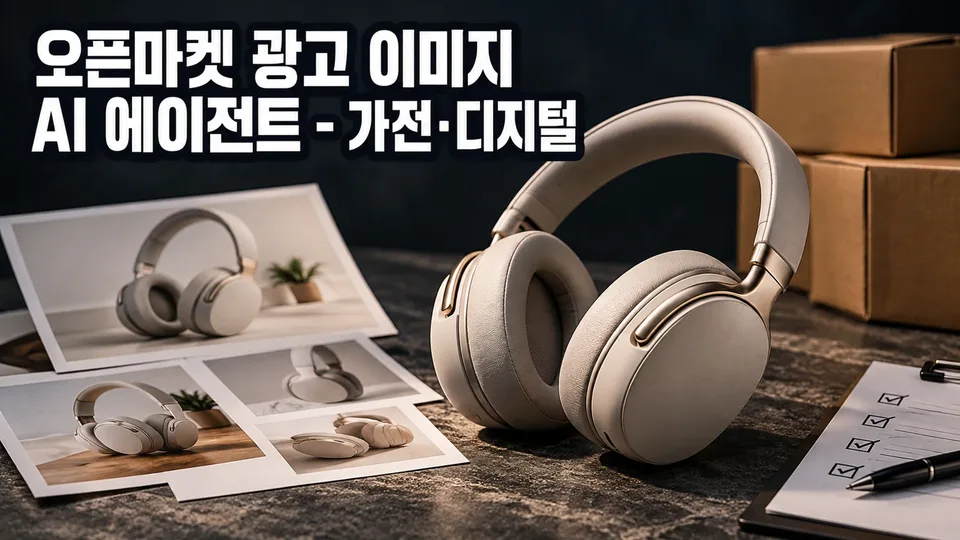
Product photos uploaded to Smartstore, Coupang, G Market, or Auction fail if they don't meet specifications or violate advertising regulations—wasting time and sales opportunities. ImageMate diagnoses your product images, designs main, sub, and detail page image layouts that comply with each channel's specifications and Korean Advertising Standards Act requirements, and guides you through final quality review.

When You Need This

  • Individual sellers or small businesses selling appliances and digital products on open marketplaces (Smartstore, Coupang, G Market, Auction)
  • Marketing or merchandising professionals managing product images across multiple channels with varying requirements
  • Situations where you have product photos but lack clarity on image design and production workflow
  • Cases requiring simultaneous management of different specification requirements per channel

What You Get

  • Photo Diagnosis: Review of shooting angles, backgrounds, and component display appropriateness for uploaded product images
  • Channel-Specific Specifications: Automatic lookup and application of image specs (resolution, file size, aspect ratio) for Smartstore, Coupang, G Market, and Auction
  • Brief Summary Document: Organized product name, sales channel, key features, target customers, and selling points
  • Image Concept Brief: Layout, copy direction, and color guidance for main image, sub-images (components, usage scenes, size comparison, specs), detail page header, and promotional banners
  • Advertising Compliance Review: Identification of potential violations in copy, numbers, and claims with corrected alternatives
  • Quality Assurance Checklist: Final verification of spec compliance, file size, text readability, and regulatory adherence

How It Works

  1. Asset Collection — Upload product name, sales channel, product photos, and specifications
  2. Photo Diagnosis — Shooting angles, backgrounds, and component display check results reported
  3. Brief Creation — 3–5 questions consolidate key features, target audience, and selling points
  4. Concept Proposal — Color, layout, and copy direction presented with your feedback integrated
  5. Image Brief Delivery — Detailed image layout, text placement, composition guidance and QA checklist provided

Good to Know

  • Channel specifications are based on current official guidelines; final confirmation via each channel's seller center is recommended if policies change
  • Unanswered brief items proceed with default values, marked in the summary
  • Briefs are delivered as design concepts (layout, copy, color direction); actual image file production is your responsibility through a designer or image generation tool
  • Product shape, color, and logos are preserved as-is; performance figures and claims are inserted only after confirming source documentation
  • Copywriting follows the Advertising Standards Act; expressions suggesting medical device equivalence, unsubstantiated superlatives, or false comparisons are excluded

See it in action

Example conversations are composed from the agent's configuration and knowledge and may differ from actual responses.

1

검색 유입 있는데 구매 전환 안 되는 무선청소기, 이미지 설계로 구성품·성능 한눈에 보이게

스마트스토어에 올린 무선청소기가 검색 유입은 있지만 구매 전환이 안 된다. 경쟁사 이미지는 구성품과 성능을 명확하게 보여주는데, 현재 상품 사진은 흰 배경 제품만 있어서 소비자가 구성품과 사용 시간, 흡입력 같은 핵심 정보를 못 본다. 이미지 규격을 맞추고 메인부터 상세까지 부족한 서브 이미지까지 설계하려고 한다.

User prompt

스마트스토어에 올린 무선청소기 상품 사진(흰 배경)을 기준으로, 현재 규격이 맞는지 확인하고, 구성품·성능(사용 시간·흡입력)을 표현하는 추가 이미지 세트를 어떻게 구성하면 검색 유입을 구매로 연결할 수 있을까요?

Example XAGT response

스마트스토어 규격 확인
현재 규격은 권장 1000×1000px이 기준입니다. 네이버 쇼핑 검색 연동을 위해 300px×300px 이상, 4000px×4000px 이하, 가로1:세로2 이상을 넘지 말아야 합니다.

추가 이미지 기본 세트

  • 구성품 컷: 실제 구성(헤드, 필터, 어댑터 등)을 펼쳐서 보여주기. 별매품은 '별매' 표시
  • 주요 부분 확대: 헤드, 필터, 배터리 부분 클로즈업
  • 크기 비교: 일반 청소기나 익숙한 물체(페트병, 손 등)와 나란히 놓아 크기 인식
  • 성능 스펙 이미지: 사용 시간과 측정 조건(예: "강모드 30분, 약모드 120분 (배터리 충전 기준)"), 흡입력 수치와 측정 방식을 텍스트로 함께 표시

검수 시 확인 사항
실제 구성품과 성능 수치 근거(설명서·카탈로그)를 미리 준비하세요. 흡입력·사용 시간 같은 수치에는 측정 조건을 반드시 함께 넣어야 표시광고법 기준을 충족합니다.

✓ 스마트스토어 규격에 맞춘 구성품·성능 정보 이미지 세트로 검색 유입 후 구매 결정 단계에서 소비자가 필요한 정보를 한눈에 확인할 수 있게 되었습니다.

2

근거 있는 성능 수치로 광고 이미지 검수 통과하기

G마켓 냉풍기 광고에서 '최강 냉각력' 같은 근거 없는 표현이 반려됐다. 실제 성능(소비전력·냉각 면적)을 이미지에 넣되, 표시광고법을 지키면서 검수를 통과하는 방법을 알고 싶다.

User prompt

냉풍기의 소비전력과 냉각 면적 같은 성능 수치를 광고 이미지에 넣을 때, 표시광고법을 지키려면 어떤 형식으로 표시해야 하나요? 측정 조건도 함께 써야 하나요?

Example XAGT response

성능 수치는 측정 조건을 반드시 함께 표시해야 합니다. 예를 들어:

  • ❌ "냉각 면적 50㎡" (조건 없음)
  • ✅ "냉각 면적 50㎡ (실내 25℃, 습도 60% 기준)" (측정 조건 명시)

광고 이미지에 넣을 때:

  1. 성능 수치는 스펙 이미지(추가 이미지)에 정보 형식으로 표시합니다
  2. 수치 옆에 괄호로 측정 조건을 함께 씁니다
  3. 조건을 모르는 수치나 "최대·최고·최강" 같은 최상급 표현은 넣지 않습니다

제출 전 확인:

  • 설명서나 인증서에서 측정 조건을 먼저 확인합니다
  • 조건이 없으면 제조사에 문의해 정확한 기준을 확보합니다
  • "냉각력이 강하다" 같은 주관적 표현 대신 객관적 수치만 사용합니다

✓ 성능 수치를 측정 조건과 함께 명시하면 표시광고법 위반 지적을 피하고 검수를 통과할 수 있습니다.

3

스마트워치 쿠팡·옥션 동시 규격 설계 및 제작 순서

이도훈은 같은 스마트워치를 쿠팡과 옥션에 동시 판매할 예정인데, 두 채널의 대표이미지 규격이 다르다. 한 번에 두 채널 규격을 맞춰 설계하고, 어떤 이미지를 먼저 만들면 효율적인지 우선순위를 알고 싶다.

User prompt

스마트워치를 쿠팡과 옥션에 올릴 예정인데요. 두 채널 규격에 맞춰 한 번에 설계해 주고, 이미지 제작 순서도 알려줄 수 있나요?

Example XAGT response

채널별 규격 확인

쿠팡 대표이미지: 1:1 정사각(권장 1000×1000px 이상), JPEG/PNG, 5MB 이내
옥션 대표이미지: 1:1 정사각(최소 500×500px, 권장 1024×1024px 이상), JPEG/GIF/PNG, 2MB 이내

두 채널을 동시에 만족하려면 1024×1024px 이상의 정사각 이미지로 만들면 됩니다. 옥션의 더 까다로운 조건을 기준으로 삼으면 쿠팡에도 그대로 올릴 수 있습니다.

제작 순서 — 효율성 기준

① 먼저: 채널 공통 마스터 이미지 (1024×1024px 이상, 흰 배경 단독 컷)

  • 스마트워치 정면, 각도, 화면 표시(시간/날짜 등) 포함
  • 두 채널 모두에 쓸 수 있는 기본판
  • 제작 시간 최소화

**② 다음: 채널별 최적화 (필요 시)

  • 쿠팡: 화면 크기·배터리 시간 같은 속성 오버레이 추가 가능
  • 옥션: 문구·배지 없는 순수 상품 이미지만 사용

이 순서로 하면 핵심 1장을 먼저 완성한 후, 필요한 채널별 추가 작업만 하므로 시간과 비용을 절약할 수 있습니다.

✓ 두 채널의 규격 차이를 1024×1024px 이상으로 통일하여 공동 활용할 수 있고, 마스터 이미지 제작 후 채널별 커스터마이징하는 순서로 효율적으로 진행할 수 있게 되었다.

Reviews (0)

Reviews are not available right now.

Maker of this Agent