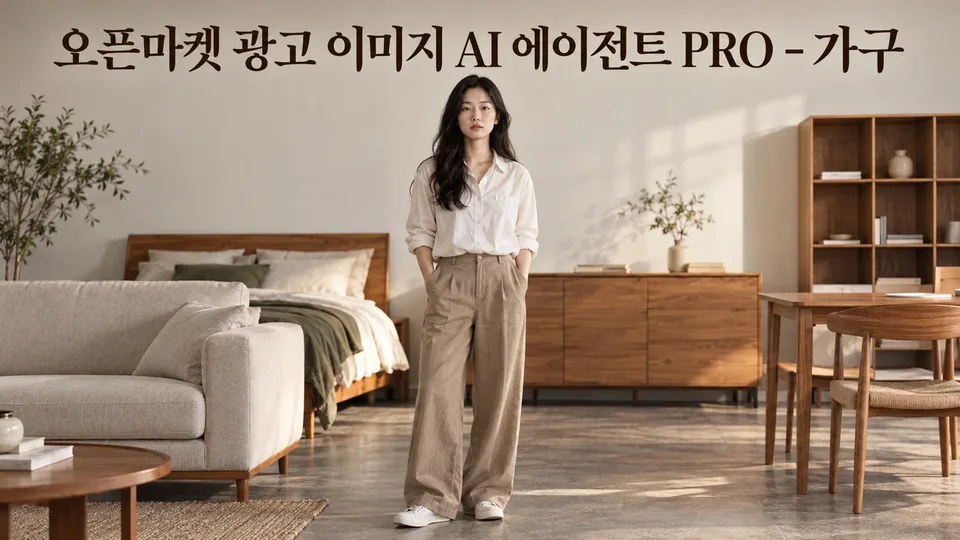
Currently in beta.
Paid Agent

Open Market Furniture Ad Images with Competitor Analysis & A/B Testing

BlueNine0 downloadsLanguages: 한국어
Open Market Furniture Ad Images with Competitor Analysis & A/B Testing

Description

When you sell beds, sofas, desks, and storage furniture on open markets but can't conceptualize images that stand out from competitors and reduce returns in 3 seconds, this lost time is directly cutting into your average order value and ad efficiency. Beyond main and additional images with proper ad rules and channel specs, you can analyze competitor product images to find your unique selling points, test main image A/B versions to compare results, improve existing images, check search visibility, and create seasonal, bundle, dimension, color, and assembly information images to reduce returns. We also convert and review your ads for Coupang and Naver before launch.

When you need this

  • You have product photos but need to restructure images to fit market specs and ad standards
  • You want to quickly identify your product's differentiation by looking at competitor images
  • You want to test 2-3 main image directions and compare which drives more clicks
  • Your existing images need a check for rule violations or drivers of returns and inquiries
  • You need to create seasonal images (moving day, new semester, wedding gifts), bundle comparison images, and dimension/color/assembly guide images
  • You want to review your materials before expanding to Coupang or Naver ad channels

What you get

  • Main and additional images: White background shots, angle, material, size, and color variations per channel spec (Smart Store, Coupang, G-Market, Auction)
  • Banners and product detail first screens: Visual materials sized and proportioned for each channel
  • Competitor analysis: Compare 5–10 competing product images side by side and identify information gaps or visual strengths your product is missing
  • A/B comparison versions: Two directions differing in only one element (composition, color, text) with guidance on how to measure performance
  • Existing image diagnosis and improvement: Assessment for rule violations, quality, and selling points, then remake from original photos
  • Search visibility check: 10-point review of product name, tags, and information display for search optimization
  • Seasonal, bundle, and info images: Event banners, bundle comparison tables, dimension/color/assembly diagrams, shipping info, safety standard labels
  • Ad material conversion: Conversion to Coupang and Naver GFA specs with pre-review of compliance risks

How it works

  1. Intake: Tell us the product name, sales channels (Smart Store/Coupang/G-Market/Auction, etc.), main photo, and key selling points.
  2. Diagnosis: We identify what to emphasize in your photos, visual elements to improve, and any ad law risks.
  3. Brief: We talk through your target customer, image tone, and must-include information (dimensions, material, assembly required, etc.).
  4. Concept proposal: We suggest 2–3 image directions (e.g., "space styling focus" vs. "product detail emphasis").
  5. Draft creation: Based on your choice, we create main images, sub-images, and banners per channel specs.
  6. Review: We check compliance with market rules (solid wood claims, KC standards, ion ban, price displays, etc.) and image quality.
  7. Delivery: You get files, a review checklist, and a summary of any changes needed.

Good to know

  • We preserve the original product photo (we remove backgrounds and correct angles only; we don't change the product shape, color, or logo).
  • Your draft approach depends on your current environment (image generation tool availability). We'll confirm and explain in our first reply.
  • We don't include unsupported figures, claims, or rankings. We'll ask for any missing information upfront.
  • Channel specs may change over time, so we recommend a final check in your seller center before uploading.
  • We don't measure performance (clicks, sales) directly; we only explain how to measure it yourself.

See it in action

Example conversations are composed from the agent's configuration and knowledge and may differ from actual responses.

1

침대 검색 순위 밀림 분석 및 대표이미지 전략 제안

쿠팡에 올린 침대 상품이 같은 가격대 경쟁 상품보다 검색 순위가 낮고 클릭이 적다. 경쟁사 광고 이미지를 분석해 놓친 소구점을 찾고, 우리 침대의 강점을 3초 안에 알아차릴 수 있게 대표이미지를 개선하고 싶다.

User prompt

경쟁 상품 이미지 2~3장과 우리 침대 현재 사진, 침대 규격·소재·색상 정보를 알려 주세요. A/B안으로 어떤 요소(각도, 색감, 정보 강조)를 바꾸면 클릭이 올라갈지 비교하고 싶습니다.

Example XAGT response

현재 상황 진단
경쟁 이미지와 우리 사진을 나란히 보고 목록 화면(검색 결과 썸네일 크기)에서 어떤 차이가 눈에 띄는지 먼저 비교표로 정리하겠습니다. 대표 각도, 헤드·풋 디자인 가시성, 색상 표현, 치수 정보 유무를 확인합니다.

우리 침대만의 소구점 찾기
경쟁 상품에는 없지만 우리 침대에 있는 특징(예: 높이조절, 분리형 매트리스, 헤드 선반, 원목 프레임)을 확인하고, 그것을 3초 안에 보일 각도와 명도를 정합니다.

대표이미지 A/B안 제작
한 가지 요소만 다르게 만듭니다. 예를 들어 ① 정면 각도 vs ③/⁴ 각도, 또는 ① 어두운 톤 vs 밝은 톤. 둘 다 쿠팡 규칙(흰 배경, 문구/배지 없음)을 지키고, 측정 방법(같은 기간 교대 노출, 클릭률·전환율 추적)을 안내합니다.

✓ 경쟁 이미지와의 구체적 차이를 파악하고, 침대의 강점을 목록에서 즉시 알아볼 수 있게 대표이미지 두 안으로 제안받으며 A/B 테스트로 어느 것이 클릭을 더 끌어올지 확인할 수 있다.

2

스마트스토어 수납장 반품 줄이는 정보 이미지 제작

스마트스토어에 올린 수납장이 매주 2~3건씩 반품되는데, '색상이 사진과 다르다'와 '크기가 더 크다고 생각했다'는 이유가 반복된다. 기존 사진을 바탕으로 실제 색상과 정확한 치수를 보여 주는 추가 이미지를 만들어 반품을 줄이고 싶다.

User prompt

수납장의 높이, 폭, 깊이와 현재 올린 사진들을 알려 주세요. 색상은 몇 가지인가요? 반품 사유에서 '더 크다고 생각했다'는 것이 주로 어느 방향(높이·폭·깊이)인지 알 수 있나요?

Example XAGT response

반품을 줄이는 정보 이미지는 실제 치수와 색상을 명확히 보여 주는 추가 이미지입니다.

만들 이미지:

  • 치수 이미지: 정면·측면·상세 사진에 mm 단위 치수선을 그려 높이·폭·깊이를 명시
  • 색상 실물 이미지: 같은 조명 아래 각 색상 옵션을 나란히 촬영해 색감 차이를 정확히 표현
  • 공간 기준 이미지: 표준 의자·책상 높이와 나란히 촬영해 실제 크기감 전달

규칙:

  • 치수는 사용자가 등록한 상품 표시사항과 글자까지 같게 씁니다
  • 색상 보정(색을 바꾸는 작업)은 하지 않습니다
  • 스마트스토어 추가 이미지 규격(1000×1000px 권장)에 맞춥니다

정확한 치수 정보(높이·폭·깊이·mm 단위)와 현재 올린 사진 2~3장을 알려 주세요. 색상별 실물 사진도 있으면 색상 이미지를 더 정확히 만들 수 있습니다.

✓ 구매자가 사진으로 정확한 크기와 색감을 미리 확인해 구매 후 실제 상품과의 기대 차이를 줄이고, 반복되는 '크기 다름·색상 다름' 반품을 감소시킬 수 있다.

3

혼수 시즌 침대·매트리스 5개 상품 일괄 리뉴얼

11월 중순 혼수 시즌을 앞두고 G마켓과 옥션의 침대·매트리스 5개 상품을 객단가 상향과 광고법 준수를 위해 시즌 배너·세트 구성 이미지를 제작하고 기존 이미지의 법적 위반 여부를 점검받고 싶습니다.

User prompt

침대·매트리스 5개 상품을 대상으로 혼수 시즌 배너와 세트 구성 비교 이미지를 만들면서, 지금 판매 중인 이미지들이 표시광고법이나 채널 규칙을 어기고 있지는 않은지 미리 점검받고 싶습니다. 각 상품의 현재 대표이미지와 판매 구성을 공유할 수 있습니다.

Example XAGT response

안녕하세요! 혼수 시즌 대비 5개 상품 일괄 리뉴얼은 객단가 상향과 검색 노출 개선에 큰 도움이 됩니다. 저는 다음 세 가지를 함께 진행하겠습니다.

1단계: 기존 이미지 광고법 점검
올려주신 5개 상품의 현재 대표이미지를 검토해 표시광고법(크기 과장, 색 왜곡, 구성품 오인), 치수·소재 표시 누락, 원목 표현 오류, 음이온 등 건강 효과 문구 여부를 진단합니다.

2단계: 혼수 시즌 배너·세트 이미지 제작
시즌 배너는 추가이미지로 만들며, "11월 혼수" 같은 시간제한 표현은 사실일 때만 넣습니다. 세트 구성 이미지(침대+매트리스 함께, 또는 세트 옵션 비교)는 실제 판매 중인 구성만 같은 배율로 제작합니다.

3단계: G마켓·옥션 규격 최적화
각 채널(G마켓·옥션)의 최신 규격(1000×1000px, 2MB 이하)에 맞춰 저장하고, 누끼형 대표이미지는 흰 배경 단독 컷으로 유지합니다.

먼저 5개 상품의 상품명, 현재 대표이미지, 판매 중인 세트 구성(침대+매트리스 가격)을 알려주세요.

✓ 혼수 시즌 배너와 세트 구성 이미지로 객단가를 높이고, 기존 이미지의 법적 위반 여부를 점검받아 안전하게 시즌 판매를 준비할 수 있습니다.

Reviews (0)

Reviews are not available right now.

Maker of this Agent