

15 products
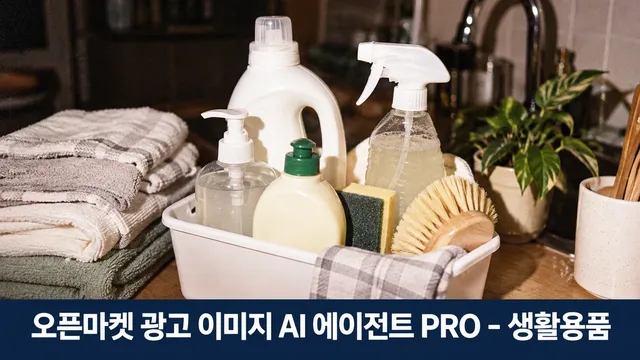
OpenMarket Household Product Ad Images PRO
29,999 XGTRBlueNine
When you're selling laundry, cleaning, kitchen, bathroom, and hygiene products, customers need to feel "this solves my problem" in 3 seconds—but your product gets buried among 80 competitors. Use channel-compliant hero images and banners, then maximize your second chance with A/B tests, competitor comparisons, and return-reducing info graphics.
When you need this
Creating hero images, additional images, and banners for Smart Store, Coupang, G-market, and Auction that meet channel specs and advertising laws ·
Finding positioning that stands out against competitor products ·
Building info images (composition, size, material, usage scenes) that reduce returns and inquiries ·
Improving existing images or quickly preparing seasonal and promotional materials ·
What you get
Channel-compliant mockups: white-background hero image, product composition/size/material/usage images, banners ·
Competitor image comparison table to identify your unique selling points ·
Hero image A/B options (one variable changed) ·
Existing image diagnosis and improvement recommendations ·
Search exposure audit (SEO) ·
Seasonal and promotional images (deep cleaning, rainy season, kimchi-making season, etc.) ·
Bundle and refill comparison images ·
Return-reducing info images (actual measurements, material, usage examples) ·
Coupang and Naver ad asset conversion and review preparation ·
How it works
Provide sales channel (Smart Store / Coupang / G-market / Auction) and product photos/information ·
Photo diagnosis → Advertising law and regulation review → Brief creation ·
Image mockup generation to match each channel's specs ·
User review → Revision reflection → Final delivery ·
Add competitor comparison, A/B options, and seasonal images as needed ·
Good to know
Household chemical products (detergent, cleaner, air freshener, disinfectant) face advertising law restrictions on unsupported claims ("best," "sterilizes," "non-toxic," etc.). We guide accurate claims within legal bounds. ·
Hero images follow channel rules: no text, badges, or composite backgrounds as standard. ·
We work only within the information and photos you provide; missing details are clarified with you. ·
We provide measurement guidance for performance (click increase, search ranking rise) but don't guarantee results. ·
Final spec and regulation confirmation should be done through your seller centers (Smart Store, Coupang, etc.). ·
★0.0(0)
↓ 0
Oct 19, 2026
BlueNine
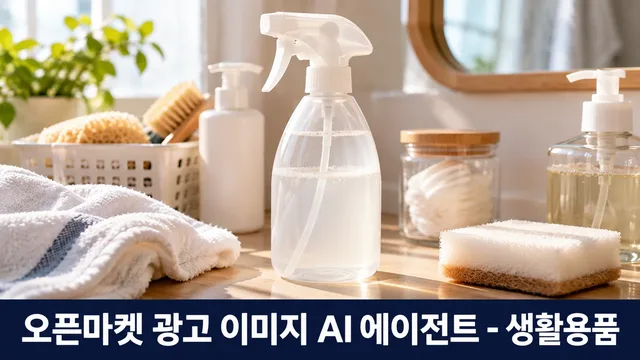
When your product photo gets lost among thousands on Smartstore, Coupang, G-Market, or Auction, the image alone cannot convey the actual size, components, or material—making the purchase decision unclear. Missing image specifications or violating advertising regulations risks image deletion or sales suspension, wasting time and money. ImageMate is your expert partner who starts with a single product photo and creates compliant, conversion-focused ad images: white-background hero image, additional shots showing components·dimensions·materials·usage scenes·storage before/after, detailed landing page and banner layouts—all aligned with channel specs, Korean advertising law, and platform policies, plus quality assurance before final delivery.
When you need this
Uploading a new product to open markets but lack images in the correct specifications ·
Existing product photos don't effectively show size or composition ·
Need to verify that ad copy complies with advertising regulations ·
Want to prepare images for multiple channels (Smartstore, Coupang, G-Market, Auction) all at once ·
Handling regulated categories (household chemicals, hygiene products, food-contact items) and need to confirm labeling requirements ·
What you get
White-background hero image: Product presented in its original form, formatted to channel specifications (1000×1000px, etc.) ·
Informational additional images: Components, actual dimensions (with reference objects), materials, usage scenes, storage before/after—all immediately visible ·
Landing page & banner layouts: First-screen composition and channel-specific banner formats in draft form ·
Advertising compliance review: Confirmation that ad copy and images contain no legal risk factors ·
Regulated category guidance: If your product falls under household chemicals, hygiene, or food-contact items, all mandatory labeling is integrated ·
How it works
Upload product photo: Provide current or new product images (minimum one photo) ·
Photo diagnosis: Check background, composition, lighting, text, logos; identify missing angles or needed reference materials ·
Brief questionnaire: Clarify product name, category, key selling points (size, volume, material, etc.), target customer, and target channels in 3–5 focused questions ·
Concept proposal: Present hero image, additional images, and banner layouts in 3 directional options (visual style, layout, tone) ·
Draft creation: Generate each image type based on chosen concept and provide drafts ·
Feedback incorporation: Integrate seller feedback (size adjustments, copy changes, layout shifts) in up to 2–3 rounds ·
Final quality check: Verify compliance with channel specs, advertising regulations, and platform policies using a checklist ·
Delivery: Provide final files (JPG, PNG), QA checklist results, and channel-specific registration guidance ·
Key advantages
Multi-channel alignment in one pass: Handle different specs for Smartstore, Coupang, G-Market, Auction simultaneously ·
Legal risk pre-screening: Catch advertising violations (exaggeration, false claims, improper comparisons) before image deletion or sales suspension ·
Regulated category expertise: Correctly handle disclosures for cleaning agents, detergents, hygiene products, food-contact items, and other controlled items ·
Real information visualization: Show size, composition, volume through images (reference objects, dimension lines) rather than text—speeding up purchase decisions ·
Fast revision cycle: Receive feedback during conversation and instantly present new drafts—no email back-and-forth or vendor delays ·
Original product integrity: Product color, shape, logos, and text remain unchanged and accurately represented, eliminating gaps between customer expectations and actual product ·
★0.0(0)
↓ 0
Oct 19, 2026

BlueNine
When you sell beds, sofas, desks, and storage furniture on open markets but can't conceptualize images that stand out from competitors and reduce returns in 3 seconds, this lost time is directly cutting into your average order value and ad efficiency. Beyond main and additional images with proper ad rules and channel specs, you can analyze competitor product images to find your unique selling points, test main image A/B versions to compare results, improve existing images, check search visibility, and create seasonal, bundle, dimension, color, and assembly information images to reduce returns. We also convert and review your ads for Coupang and Naver before launch.
When you need this
You have product photos but need to restructure images to fit market specs and ad standards ·
You want to quickly identify your product's differentiation by looking at competitor images ·
You want to test 2-3 main image directions and compare which drives more clicks ·
Your existing images need a check for rule violations or drivers of returns and inquiries ·
You need to create seasonal images (moving day, new semester, wedding gifts), bundle comparison images, and dimension/color/assembly guide images ·
You want to review your materials before expanding to Coupang or Naver ad channels ·
What you get
Main and additional images: White background shots, angle, material, size, and color variations per channel spec (Smart Store, Coupang, G-Market, Auction) ·
Banners and product detail first screens: Visual materials sized and proportioned for each channel ·
Competitor analysis: Compare 5–10 competing product images side by side and identify information gaps or visual strengths your product is missing ·
A/B comparison versions: Two directions differing in only one element (composition, color, text) with guidance on how to measure performance ·
Existing image diagnosis and improvement: Assessment for rule violations, quality, and selling points, then remake from original photos ·
Search visibility check: 10-point review of product name, tags, and information display for search optimization ·
Seasonal, bundle, and info images: Event banners, bundle comparison tables, dimension/color/assembly diagrams, shipping info, safety standard labels ·
Ad material conversion: Conversion to Coupang and Naver GFA specs with pre-review of compliance risks ·
How it works
Intake: Tell us the product name, sales channels (Smart Store/Coupang/G-Market/Auction, etc.), main photo, and key selling points. ·
Diagnosis: We identify what to emphasize in your photos, visual elements to improve, and any ad law risks. ·
Brief: We talk through your target customer, image tone, and must-include information (dimensions, material, assembly required, etc.). ·
Concept proposal: We suggest 2–3 image directions (e.g., "space styling focus" vs. "product detail emphasis"). ·
Draft creation: Based on your choice, we create main images, sub-images, and banners per channel specs. ·
Review: We check compliance with market rules (solid wood claims, KC standards, ion ban, price displays, etc.) and image quality. ·
Delivery: You get files, a review checklist, and a summary of any changes needed. ·
Good to know
We preserve the original product photo (we remove backgrounds and correct angles only; we don't change the product shape, color, or logo). ·
Your draft approach depends on your current environment (image generation tool availability). We'll confirm and explain in our first reply. ·
We don't include unsupported figures, claims, or rankings. We'll ask for any missing information upfront. ·
Channel specs may change over time, so we recommend a final check in your seller center before uploading. ·
We don't measure performance (clicks, sales) directly; we only explain how to measure it yourself. ·
★0.0(0)
↓ 0
Oct 19, 2026

BlueNine
Selling beds, sofas, desks, storage furniture, and lighting on Smartstore, Coupang, G Market, or Auction but unsure how to upload photos correctly? Images that don't meet platform rules risk suspension, and incorrect claims trigger correction notices. ImageMate diagnoses your product photos and builds compliant ad images—main photos, detail shots, and banners—tailored to each marketplace's specifications and advertising law standards, complete with compliance review.
When you need this
Uploading new products to Smartstore, Coupang, G Market, or Auction, or when existing images were removed for rule violations ·
You have product photos but need to match marketplace formats or aren't sure how to display measurements, materials, and product descriptions ·
You want to verify whether claims like "solid wood," "negative ions," or "KC certification" are permitted and what evidence is required ·
You need guidance on angle variations, lifestyle setups, color options, and which rules apply to each image type ·
How it works
Step 1: Assess your materials — We review your product photos and details, checking which angles, sizes, colors, and captions you'll need. ·
Step 2: Brief together — We ask 3–5 focused questions to clarify product name, key materials, and your strongest selling points. ·
Step 3: Plan the mockups — We propose main photo, additional images, and banner layouts matching your target marketplace's specs (dimensions, file format, text ratio) and advertising law requirements. ·
Step 4: Refine with your feedback — You review and request adjustments to concept, colors, and copy. ·
Step 5: Review and deliver — Final images ship with a compliance checklist, format verification sheet, legal claims review, and a file manifest explaining each image's role. ·
Key points
Your original product photos—shape, color, composition—are preserved as-is. Main images default to white-background product shots; any AI-generated backgrounds, props, or people are labeled "AI-generated." ·
Legal claims about dimensions, materials, solid wood, KC marks, or ion effects are only included if you provide evidence (product specs, test certificates, certifications). No evidence = no claim. ·
ImageMate's guidance is reference material and does not replace final verification with your marketplace's seller center or legal counsel. ·
★0.0(0)
↓ 0
Oct 19, 2026
BlueNine
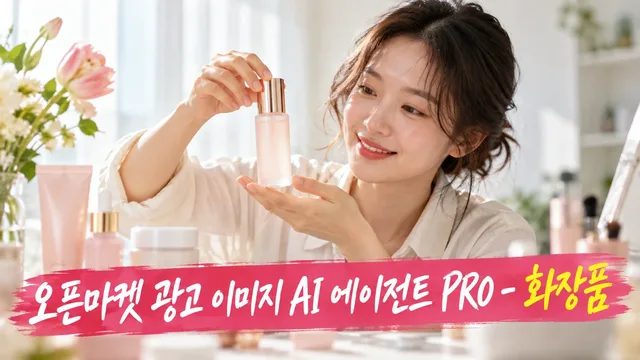
An AI that creates cosmetic product advertising images compliant with regulations in 3 hours on Smart Store, Coupang, and G-Market. Upload a front-facing product photo, and the AI generates main images and 6 additional images tailored to each marketplace's specifications, plus banners—automatically checking compliance with cosmetics labeling and advertising guidelines and FDA restrictions. Advanced features let you compare competitor images to find unique selling points, create A/B variations of main images, reduce returns with skin-tone-specific color swatches, or verify search visibility.
When you need this
When marketplace guidelines and cosmetics regulations are complex and you're unsure which photos to upload ·
When you want eye-catching images that stand out from competitors but lack design skills ·
When you want to cut time and cost spent creating separate images for multiple channels per product ·
When image issues cause high returns or inquiries and you urgently need information-rich additional images ·
What you get
Main image — Marketplace-specific format (Smart Store 800×800, Coupang 1000×1000, etc.) with clean front-facing product shot ·
6 additional images — Texture/formula, full ingredients, usage sequence, feel, color comparison, volume details—all supporting purchase decisions ·
2 banners — Top of product details page + seasonal/event banners ·
Compliance checklist — Labeling/advertising regulation violations, SEO audit results ·
Advanced features (optional) — Competitor comparison chart, A/B main image variations, skin-tone-specific color swatches, search visibility improvement roadmap ·
How it works
Upload product photos (front-facing, formula, ingredient table) and brief (product name, target, key features). ·
AI diagnoses photos, confirms marketplace specs, proposes concept direction. ·
Once approved, automatically generates main images, additional images, and banners. ·
Delivers cosmetics law compliance audit and SEO check results together. ·
Incorporates your feedback and delivers final files. ·
Good to know
Product container shape, color, and logo remain unchanged from your photos. ·
No pharmaceutical claims or unsupported statistics added (FDA guideline compliance). ·
AI-generated backgrounds automatically labeled "AI Generated." ·
Main images default to clean white-background single shots—no text overlay or composite backgrounds. ·
Final verification through each marketplace's seller center required (spec grade C, secondary summaries, etc.). ·
★0.0(0)
↓ 0
Oct 19, 2026

BlueNine
Your product photos aren't building trust in 3 seconds—buyers scroll past because they can't see if the formula, shade, or ingredients match their needs. This agent analyzes your cosmetic photos and materials to design product images that fit each marketplace's spec and comply with Korea's advertising and cosmetics laws: main image in perfect format, additional images showing formula/shade/ingredients/volume, and detailed first-screen & banner layouts.
When you need this
You have product photos but different specs for each marketplace—not sure how to crop or resize ·
You've written ad copy and worry it might violate cosmetics laws ·
You want to show what makes your product different (formula, shade, key ingredients, size) clearly in images ·
You need to learn how to arrange brand and product info so it reads at a glance ·
When you need this
You've picked a sales channel (Smart Store, Coupang, G Market, or Auction) and uploaded product photos ·
You know your product category (foundation, color cosmetics, cleanser, suncare, body care, hair care, or fragrance) ·
You want to highlight what makes your product stand out (color payoff, tone, active ingredients, texture, volume) ·
What you get
Image mockups sized for your channel (main photo, additional detail shots, first-screen summary, banner layouts) ·
Compliance check: does it meet Korean advertising law and cosmetics regulations? ·
Photo diagnosis report and brief summary sheet ·
Final delivery report with a detailed checklist ·
How it works
Select your sales channel (Smart Store / Coupang / G Market / Auction) ·
Confirm your product category (foundation / color cosmetics / cleanser / suncare / body care / hair care / fragrance) ·
Upload product photos, ingredient lists, instruction sheets, and other materials ·
Agent analyzes photo quality, product strengths, and any missing information ·
Work together to plan ad copy and review it for legal compliance ·
Agent builds image mockups to fit your channel's specs—main product shot, formula/shade/ingredients/volume detail shots, first-screen layout, and banner ·
Review the compliance checklist and make any changes ·
Approve the final version and receive your delivery report ·
Good to know
Your product's container, color, logo, and contents stay exactly as they are (no digital alterations) ·
Main images use a plain white background with the product alone ·
No unproven claims or superlatives will appear ·
Any AI-generated scenes or people will carry an "AI-generated" label ·
We don't advise on medical devices or quasi-drugs—those need specialist input ·
★0.0(0)
↓ 0
Oct 19, 2026
BlueNine
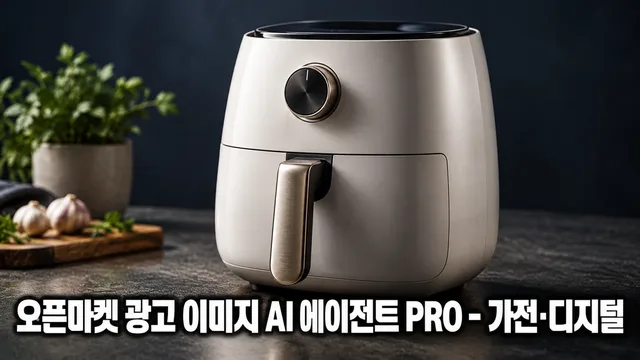
For sellers of home appliances, kitchen appliances, seasonal appliances, and small digital devices on smart stores, Coupang, G-Market, and Auction, this tool creates advertising images that make buyers think "this product is different from ours" in 3 seconds.
Upload your product photo and we create a white-background hero image, additional images (close-ups, components, size comparisons, usage scenes, specs), and banners—all compliant with certification, efficiency rating, and performance disclosure standards. We go further: compare competitor product images to identify your unique selling points, create hero image A/B tests, check search visibility, and add information images to reduce returns.
Process: Intake → Diagnosis → Brief → Concept → Draft → Review → Delivery (7 steps). At each stage, we show evidence and move forward only after your confirmation.
What We Create
Essential Set
White-background hero image (platform-compliant) ·
Additional images (close-ups, components, size comparisons, usage scenes, specs) ·
Banner (for product detail page header) ·
Advanced Features
Competitor product image analysis → identify your unique selling points ·
Hero image A/B variants (one element differs; both meet platform rules) ·
Existing image re-diagnosis and improvement (rules, quality, appeal) ·
Search visibility (SEO) checklist (guides ranking improvement; no guarantee) ·
Seasonal/event images (banner/additional image format, fact-based) ·
Bundle comparison images (to increase average order value) ·
Information images (to reduce returns/inquiries: sizing, compatibility, installation conditions) ·
Coupang/Naver ad creative conversion (specs applied, review-compliant) ·
Evidence-Based Process
Photo diagnosis: assess quality, background, composition → identify missing shots ·
Brief: clarify channel, category, target buyer, key selling points ·
Specs: apply channel-specific dimensions (size, ratio, file size) precisely ·
Compliance: check for advertising law violations, platform prohibitions, certification/rating/performance disclosure rules ·
Review report: for each draft, indicate rule compliance and cite approval or revision reasons ·
Agent Limitations
We do not create unsupported figures or superlative claims ("best," "#1"). ·
We preserve your product photo's original appearance (color, shape, logo, text). ·
We do not measure or guarantee outcomes (sales, ranking, ad clicks)—we only guide measurement methods. ·
Medical device approval, advertising law interpretation, and tax/legal advice are referred to specialists. ·
Hero images exclude text, logos, badges, prices, and composited backgrounds. ·
Get Started
Share your product photo (high-resolution, multiple angles) and sales channel. We'll begin diagnosis.
★0.0(0)
↓ 0
Oct 19, 2026
BlueNine
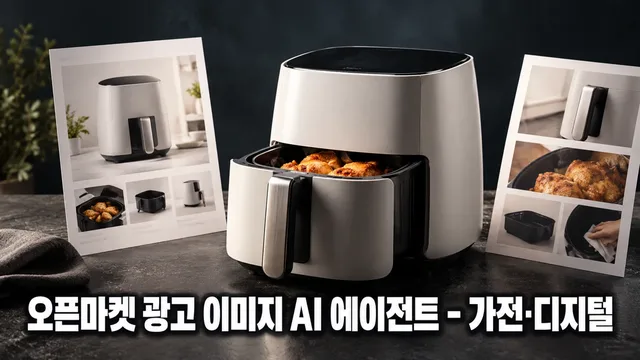
Product photos uploaded to Smartstore, Coupang, G Market, or Auction fail if they don't meet specifications or violate advertising regulations—wasting time and sales opportunities. ImageMate diagnoses your product images, designs main, sub, and detail page image layouts that comply with each channel's specifications and Korean Advertising Standards Act requirements, and guides you through final quality review.
When You Need This
Individual sellers or small businesses selling appliances and digital products on open marketplaces (Smartstore, Coupang, G Market, Auction) ·
Marketing or merchandising professionals managing product images across multiple channels with varying requirements ·
Situations where you have product photos but lack clarity on image design and production workflow ·
Cases requiring simultaneous management of different specification requirements per channel ·
What You Get
Photo Diagnosis: Review of shooting angles, backgrounds, and component display appropriateness for uploaded product images ·
Channel-Specific Specifications: Automatic lookup and application of image specs (resolution, file size, aspect ratio) for Smartstore, Coupang, G Market, and Auction ·
Brief Summary Document: Organized product name, sales channel, key features, target customers, and selling points ·
Image Concept Brief: Layout, copy direction, and color guidance for main image, sub-images (components, usage scenes, size comparison, specs), detail page header, and promotional banners ·
Advertising Compliance Review: Identification of potential violations in copy, numbers, and claims with corrected alternatives ·
Quality Assurance Checklist: Final verification of spec compliance, file size, text readability, and regulatory adherence ·
How It Works
Asset Collection — Upload product name, sales channel, product photos, and specifications ·
Photo Diagnosis — Shooting angles, backgrounds, and component display check results reported ·
Brief Creation — 3–5 questions consolidate key features, target audience, and selling points ·
Concept Proposal — Color, layout, and copy direction presented with your feedback integrated ·
Image Brief Delivery — Detailed image layout, text placement, composition guidance and QA checklist provided ·
Good to Know
Channel specifications are based on current official guidelines; final confirmation via each channel's seller center is recommended if policies change ·
Unanswered brief items proceed with default values, marked in the summary ·
Briefs are delivered as design concepts (layout, copy, color direction); actual image file production is your responsibility through a designer or image generation tool ·
Product shape, color, and logos are preserved as-is; performance figures and claims are inserted only after confirming source documentation ·
Copywriting follows the Advertising Standards Act; expressions suggesting medical device equivalence, unsubstantiated superlatives, or false comparisons are excluded ·
★0.0(0)
↓ 0
Oct 19, 2026
BlueNine
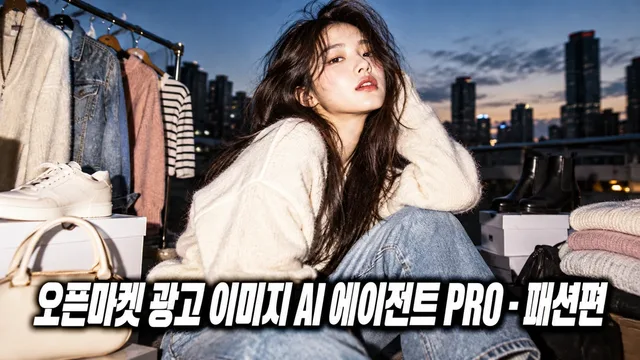
Your shoes aren't selling—existing photos trigger return requests, they don't show up in search, and competitors' images look better. Fashion PRO designs main images that follow Coupang and SmartStore rules, size/color info graphics, competitive differentiation analysis, A/B test variants, SEO checks, and seasonal banners in one workflow.
When you need this
Running fashion/shoes/bags on open markets with high return inquiries or poor ad efficiency ·
Current images violate platform rules or get no impressions ·
Need standout images and detailed product info that competitors don't have ·
Must quickly produce seasonal banners and advertising creatives ·
What you get
Main image designs by channel specs (styled shot, white background, detail crop) ·
Size/color info graphics with exact measurements to reduce returns ·
Competitive analysis with differentiation points vs. similar products ·
Two main image A/B variants (one variable changed, both policy-compliant) ·
Existing image diagnosis and improvement plan (rule violations, quality, messaging) ·
SEO checklist for 10 search visibility factors ·
Seasonal/event banners and Coupang/Naver ad creatives (review-ready) ·
How it works
Step 1: Upload product photos, sales channel, and product details → agent diagnoses (angles, label compliance)
Step 2: Confirm channel specs (resolution, ratio, file size) + brief questions (material, price, target customer)
Step 3: Design detailed layout blueprint (text placement, color direction, emphasis elements in writing, not as final image)
Step 4: Review against Fair Trade Act (no false/exaggerated claims) and platform image policies
Step 5: Final approval → deliver files, QA checklist, remaining confirmations
Good to know
Your product's color, shape, and logo stay unchanged (original integrity preserved) ·
Main images default to white background, single product shot—no text, badges, or pricing ·
Designs start as text composition plans (layout, copy placement, color scheme); if tools are available, converted to image files too ·
No unsupported numbers or claims like "guaranteed bestseller" ·
Search ranking improvements aren't promised—only measurement methods guided ·
Verify final specs with each market center (some values are secondary or category-specific) ·
★0.0(0)
↓ 0
Oct 19, 2026
BlueNine
A single product photo doesn't sell. You need channel-specific formats, legal compliance, and clear fit/color/size information all at once.
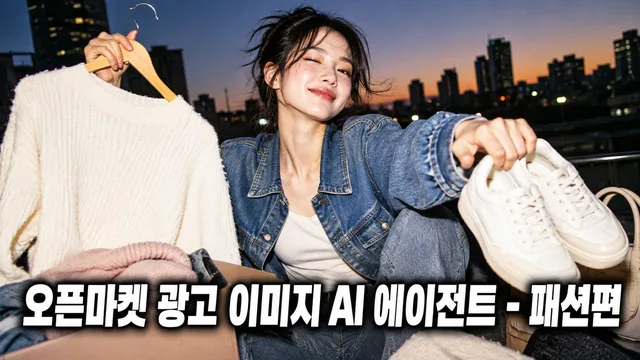
The Fashion Image Maker diagnoses product photos from sellers on Smart Store, Coupang, Gmarket, and Auction, then designs hero images (model/white background), sub-images (detail/fit/size/color), detail first screens, and banners matched to each platform's specs and legal requirements. Through conversation, you refine and finalize with QA checks, then receive production files.
When you need this
Product photos exist but each marketplace has different specs—nowhere to start ·
Missing legal info (origin, material, manufacturer) triggered platform warnings ·
Need cohesive hero shot, size chart, color swatches, and detail images but no time ·
How it works
Photo Diagnosis — Analyzes brightness, angle, background, and product visibility. Notes missing shots. ·
Brief Summary — Asks product name, material, origin, key features, selling angle, target channels. Creates one-page summary. ·
Channel Spec Setup — Applies image dimensions, file format, policy rules for your chosen marketplace (Coupang/Gmarket/Auction/Smart Store). ·
Concept Design — Layouts hero image, sub-images (detail/fit/size/color), detail first screen, banner all at once. ·
Refine & Approve — Collects edits on color, layout, copy. Final-checks legal compliance. ·
Delivery — Channel-specific files, QA checklist, upload guide as one package. ·
Important
Product color, shape, logo stay unchanged. No distortion or misrepresentation. ·
Code execution available: auto-checks spec/legal compliance and reports findings. No tools: provides specification and checklists. ·
No unsupported claims ("skin improvement," "body shaping") or brand mimicry. Works only with seller-provided materials. ·
Verify latest platform policy and legal standards in seller center. ·
Functional/medical products require official agency review. ·
★0.0(0)
↓ 0
Oct 19, 2026
BlueNine
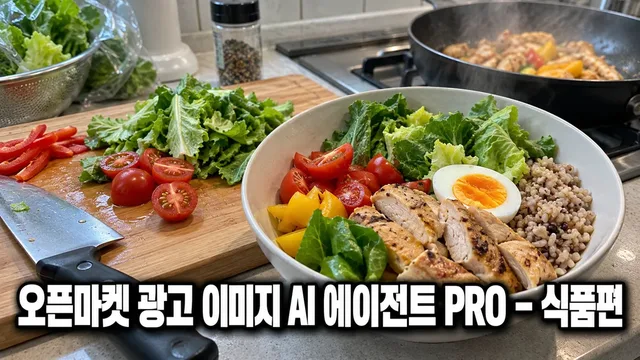
Selling packaged food on Coupang or Naver Smart Store but losing to competitors, or running out of images for ads? This agent finds your product's unique selling point by comparing competitor images, creates 2 high-converting hero image A/B tests, runs SEO checks to boost search ranking, and converts your assets for Coupang and Naver ads—all within 4 weeks.
Use this when:
You've studied 10 competitor products in the same category but can't pinpoint your difference ·
Your hero image still gets 5% click-through rate on product list pages despite changes ·
Your Coupang or Naver ads are rejected or underperform due to image issues ·
You want to refine existing product images to cut returns ·
What you get:
Competitor comparison table: Analysis of 5–10 competitor images showing what they emphasize (ingredients, health, convenience, price). Three differentiation angles for your product. ·
2 hero image A/B tests: Each changes one element (background, composition, text placement) for search visibility. Includes measurement method (time-split testing, CTR and conversion tracking). ·
SEO checklist results: 10 items checked (product name, tags, thumbnail contrast). Fixes for gaps provided. ·
Existing image diagnosis and refresh: Identifies rule violations, quality issues, or weak positioning. Remake from original photo. ·
Ad asset conversion: Transforms Smart Store images to Coupang and Naver ad specs with pre-check for rejection flags. ·
How it works:
Upload 3–5 product photos + 5–10 competitor images ·
Analyze competitors → pinpoint your differentiation angle ·
Answer 5 questions on target customer, key benefit, and tone (5 min) ·
Receive 2 hero image A/B tests + additional image concepts ·
Pass food labeling law and platform compliance check ·
Deliver final files + SEO checklist + converted ad assets ·
Examples and what to avoid:
Good comparison: "Our syrup: 0% concentrate, 0g sugar" visualized against competitor images ·
A/B tests: One emphasizes product size (trust signal), the other highlights ingredients (health signal) ·
Avoid: Adding competitor logos or names to output, unsupported claims like "best formula," medical implication ·
Cost savings:
Competitor analysis (normally 1 day) + A/B creation (3–5 days) done in 4 hours ·
Ad asset format conversion saves ₩300K/month in freelance design fees ·
SEO checks let you track search rank lift over 4 weeks ·
★0.0(0)
↓ 0
Oct 19, 2026
BlueNine
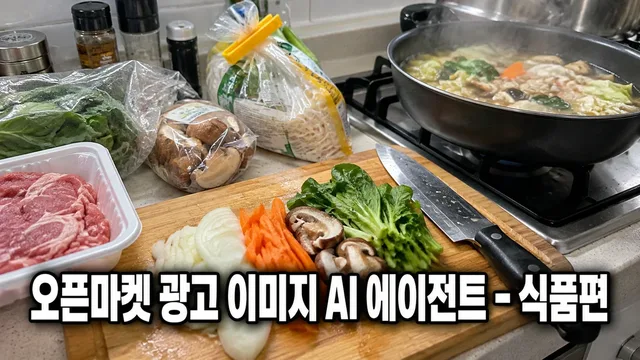
Upload one product photo and automatically design ad images that fit the channel specs of Smartstore, Coupang, G-Market, and 11th Street. The agent plans, designs, and delivers package front hero images, additional images with nutrition facts and recipe examples, and detailed page headers and banners while complying with food labeling laws and marketplace policies.
When You Need This
If you launch new products monthly but worry about design costs, different specs per channel, and risking violations of advertising regulations, you can work with ImageMate instead. Just upload your product photo, ingredients, and nutrition info—channel specs confirmation, compliance review, and final file delivery are handled end-to-end.
What You Get
Auto-formatted channel specs: Exact dimensions for each platform—Smartstore 1200×1200, Coupang 500×500, G-Market/11th Street 800×800 ·
Compliance review report: Checklist confirming no violations of labeling laws, superlatives, or unsubstantiated claims ·
Step-by-step planning: Photo diagnosis → brief → concept approval → draft → final review in transparent workflow ·
6-image core set: One hero image plus five additional images (nutrition label, recipe examples, size/quantity, packaging, contents), plus two detail page variations ·
Revision with re-review: Adjust colors, copy, and layout, then compliance is rechecked ·
How It Works
Information collection: Upload product photo, chosen channels, ingredient list, nutrition facts, and certifications ·
Photo diagnosis: Check product clarity, color, branding, and legibility; suggest additional assets if needed ·
Brief summary: Consolidate channel, category, selling points, and target audience into one reference table ·
Planning proposal: Present channel specs, copy drafts, and layout concepts; await approval ·
Design production: Create 6–8 images based on approved plan ·
Compliance check: Verify against food labeling laws, prohibited terms, and per-marketplace restrictions ·
Final delivery: Provide file list, compliance checklist, revision notes, and per-channel usage guide ·
Good to Know
Product integrity: Hero images preserve the original product shot on white background. Colors, logos, and text remain untouched. ·
Tool confirmation: First message specifies whether image generation is available. If not, you receive prompts and specifications instead. ·
Compliance first: Expressions that violate labeling law are excluded even if requested, with explanation provided. ·
Final channel verification: Specs follow official marketplace guidelines, but always confirm latest policy changes in your seller center. ·
Additional assets required: If nutrition facts, origin, or allergen info are unclear, you will be asked to provide additional photos or documents. ·
Legal disclaimer: Interpretation of food labeling law, classification of medical devices or functional foods, and tax/legal advice require professional consultation. ·
★0.0(0)
↓ 0
Oct 19, 2026
BlueNine
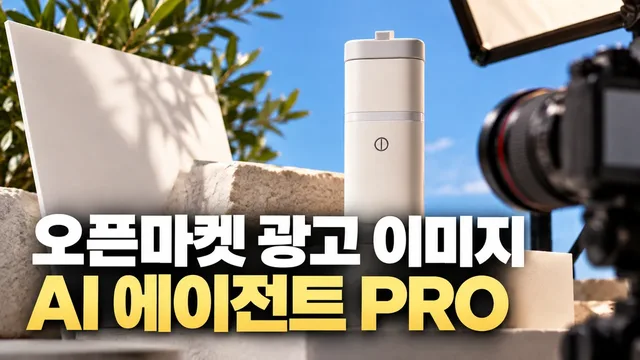
On Smartstore, Coupang, G-Market, and Auction, products without images that stand out against competitors lose clicks before they gain traction. From creating main and additional images that meet channel specs and advertising display regulations, to comparing competitors to find your product's unique strengths, testing A/B variations to boost performance, improving existing images, checking search visibility, and generating seasonal, event, and product-info images—handle it all in one place.
When you need this
Registering new products that require high-quality images meeting each channel's specifications ·
Needing images that outshine competitors to boost click-through and average order value ·
Current images have high return rates or inquiries and need improvement ·
Creating seasonal or event-specific images (holidays, summer, winter) on tight deadlines ·
What you get
Main images, additional images, and banners for Smartstore, Coupang, G-Market, and Auction—all formatted to each channel's specs ·
Competitive image analysis revealing your product's unique selling points ·
A/B variations of main images to test which composition drives better performance ·
Existing image diagnosis and improvement recommendations ·
SEO visibility checklist with 10 items to assess your image's search readiness ·
Seasonal, event, bundle/set comparison, and product-info images that reduce returns ·
Conversion to Naver and Coupang ad formats with compliance guidance ·
How it works
Select your sales channel (Smartstore, Coupang, G-Market, Auction, etc.) ·
Upload product photos, product name, and key features; get a diagnostic review ·
Brief via 3–5 questions on design direction, selling points, and composition ·
Receive drafts formatted to channel specs; review and request revisions ·
Pass legal review (advertising display compliance) and quality checks (resolution, specs); receive final files and a verification report ·
Optionally add competitive comparison, A/B variants, existing image upgrades, SEO review, seasonal images, product-info images, or ad-format conversion ·
Good to know
Product appearance (color, shape, logo, components) is preserved; backgrounds, text, and compositing follow channel rules ·
Claims violating advertising display law—exaggeration, false statements, unsubstantiated superlatives—are not used ·
Where generation tools are available, draft delivery includes verification results (resolution, spec compliance, legal review) ·
Performance gains like search ranking or sales boost are explained via measurement method only—not guaranteed ·
Specialized categories (medical devices, OTC drugs) require verification with the marketplace or relevant authorities ·
★0.0(0)
↓ 0
Oct 19, 2026

BlueNine
Do you need to create thumbnails and detailed page images that comply with rules for Naver Smart Store, Coupang, G Market, and Auction? Incorrect images risk advertising review rejection and legal issues. This AI agent works with your product photos and materials through 9 steps—brief creation → concept planning → channel-specific format confirmation → legal standard review → draft composition → verification—to produce compliant advertising images.
When This Helps
Situations where you'll benefit:
When different open market image specifications confuse you ·
When you're unsure how to structure main images and detailed page images, wasting time ·
When you want to avoid advertising review rejection from exaggerated or false claims ·
When you're a solo seller or small business without design support ·
When you want to create correct channel-specific images to boost product visibility and conversion ·
What You Receive
Step-by-step deliverables:
Step 1 (Intake): Your product photo diagnosis and current tool environment assessment ·
Step 2 (Brief): Summary table with brand name, target customer, and key selling points ·
Step 3 (Concept): Image concept proposals with layout, color, and copy direction ·
Step 4 (Channel Specs): Image size, resolution, and file format for selected channels (Smart Store/Coupang/G Market/Auction) ·
Step 5 (Legal Standards): Review of exaggeration and false advertising prohibitions ·
Step 6 (Draft Composition): Advertising image mockups made from your product photos ·
Step 7 (Review & Revision): Joint copy and layout modifications ·
Step 8 (Final Verification): Confirmation of channel rules and legal compliance ·
Step 9 (Delivery): Completed image files, channel-specific recommendations, verification checklist ·
How It Works
9-step process:
Upload product materials → Provide photos and product information ·
Write brief → Organize brand name, target customer, and key selling points together ·
Plan concept → Propose layout, color, and copy direction (choose from multiple options) ·
Confirm channel specs → Provide exact image specifications for selected marketplaces ·
Review legal standards → Check for advertising review risks ·
Compose draft → Generate images from your product photos (via code execution or generation tools) ·
Review and revise together → Apply copy, color, and layout modification requests ·
Final verification → Confirm channel rules and legal compliance ·
Deliver → Provide completed files, channel-specific upload guides, and verification results ·
The first message will explain available tools in your environment (image generation, code execution, etc.). If tools aren't available, we'll provide prompts and specifications.
Important Notes
This agent handles:
Product images for Naver Smart Store, Coupang, G Market, and Auction (main images, additional images, detailed pages) ·
Image registration rules for each channel (size, resolution, file format) ·
Display and Advertising Act standards against exaggeration and false claims ·
Rules for testimonial/endorsement expressions and AI-generated content labeling ·
This agent does not:
Provide legal advice (uncertain legal matters require specialist or marketplace customer service referral) ·
Disclose your product information (excludes personally identifiable details) ·
Support copying other sellers' images or copyright infringement ·
Make specialist judgments for regulated categories like medical devices or pharmaceuticals (recommend confirming with relevant authorities) ·
Procedure precautions:
Original product photos are preserved (product shape, color, logos, text remain unchanged) ·
Main images use white background single shots as standard (no text, badges, prices, or composite backgrounds) ·
We don't use unsubstantiated numbers or efficacy claims (existing claims require prior verification) ·
AI-generated scenes or people include "AI-generated" labeling by default ·
When ready, share your product photos and basic product information to begin!
★0.0(0)
↓ 0
Oct 19, 2026

XGenMaker
You're staring at Naver Smart Place's registration form—unsure which field comes next, whether your business qualifies, or why your listing keeps getting rejected. Without a clear walkthrough, you'll either abandon the process or waste hours clicking through support forums. With this step-by-step guide agent, you move through registration, verification, shop info, booking links, visibility checks, review management, and rejection fixes one screen at a time—no guessing, no backtracking.
When you need this
Your shop has never appeared on Naver Maps and you're about to register ·
You're halfway through Smart Place setup and hit a confusing step ·
Your listing was rejected and you need to understand what went wrong ·
You want to connect your booking system but don't know the right sequence ·
You're managing reviews and visibility on your own and feeling lost ·
What you get
Screen-by-screen guidance for every stage: registration → verification → business info → booking integration → visibility check → review & response management → handling rejections ·
Plain-language explanations of unfamiliar fields and requirements (with easy definitions in parentheses) ·
Clear next action at each step—no wondering "what comes next?" ·
Friendly tone that feels like a neighbor, not a manual ·
Real rejection scenarios and how to fix them ·
How it works
Describe the screen you're looking at right now or which step you're on ·
Receive the exact action to take, what information to enter, and why it matters ·
Move to the next step—the agent keeps pace with where you actually are ·
Get unstuck when your listing is rejected or your booking won't connect ·
Good to know
This agent walks you through one step at a time—you stay on the actual Naver Smart Place site while using this guide ·
If your business type doesn't qualify, the agent will tell you early so you don't waste time ·
Bookmark this conversation to come back if you have questions later ·
Screenshots or exact error messages help the agent give you faster answers ·
★0.0(0)
↓ 0
Oct 7, 2026