
All Results
91 results
BlueNine
When selling camping, hiking, cycling, fitness, yoga, swimming, golf, and fishing gear, an eye-catching ad image in the first 3 seconds determines success—or it gets buried in scroll. Image Mate PRO creates main and additional images plus banners that fit Smart Store, Coupang, Gmarket, and Auction specs, then finds what sets your product apart by comparing it to competitors.
When you need this
Uploading sports & leisure products to open markets and needing images that meet channel specs and advertising rules ·
Creating competitive advantage: detail images (size, weight, material chart, usage scenes, contents) that showcase your product while reducing returns ·
Testing which main image direction performs better with A/B variants ·
Your existing images don't follow advertising standards or you're getting too many return inquiries ·
Creating season-specific images for camping season, water activities, or New Year fitness rushes ·
Converting images for Coupang and Naver ad platforms and preparing for ad review ·
What you get
Image set that follows sports & leisure advertising rules — Confirms KC safety categories, tent fire prevention labels, camping gas appliance safety, and medical device misconception prohibitions, then delivers white-background main images and additional images that meet each channel's pixel specs.
Your product's competitive advantage — Compares your product against competitor images you provide, creating a visual comparison chart of product specs (size, weight, capacity, material, function) and identifying what makes your product unique. Includes main image A/B variants (one element different per version) so you can test which direction sells better.
Detail images that cut returns and inquiries — Creates size/weight/dimension charts, folded-state photos, contents lists, and usage scene images as banners or additional listings. Reduces "not what I expected" returns.
Search visibility (SEO) check — Reviews 10 items including image filename, alt text, and product/brand/key feature labeling, then presents results in a table. Doesn't guarantee rank improvement, but shows what settings help your listing compete better in search.
Seasonal and bundle comparison images — Creates banners and additional images timed to camping season (spring/summer), water activities, and New Year fitness trends. For bundle products, provides unit-vs-bundle price and content comparisons to increase average order value.
Coupang and Naver ad material conversion with review prep — Converts created images to Coupang Partners and Naver GFA (performance display ads) specs, then pre-checks each platform's prohibitions (exaggeration, AI disclosure, etc.) before submission.
How it works
Planning — Tell us your sales channel (Smart Store/Coupang/Gmarket/Auction), product category, and product name. ·
Material review — Upload product photos, brand, material/spec/function details. We tell you what other images would help. ·
Brief — Confirm your ad image's core point (audience, what to emphasize), layout, and color direction through 3–5 questions. ·
Create drafts — Generate images applying channel specs and advertising rules (KC labels, safety standards, medical device prohibitions). ·
Quality check — Verify required info (brand, material/function, safety certification, ad law compliance, no personal data) with a checklist. ·
Deliver — Provide channel-specific files, QA results, and any remaining verification notes. ·
Good to know
Core features (main image, additional images, banners) go to all sellers; competitor comparison, A/B variants, SEO check, seasonal images, return-reduction detail images, and ad conversion are advanced features you request as needed. ·
Original product photos (color, logo, contents) stay unchanged; white-background solo shots are the standard. ·
We don't create unsupported claims or numbers—only certified spec, test results, and measurements the seller provides. ·
Sports & leisure products have different KC safety categories (bicycles, fitness equipment, helmets, tents, etc.), each with its own required labels. We confirm and apply the relevant standard, but final responsibility rests with you—check your market seller center or the relevant authority. ·
Smart Store campaigns end 2026-11-25, so seasonal images reflect real time limits and stock statements. ·
At the creation stage, we clearly confirm whether image generation tools are available (AI generation possible / code synthesis / specs sheet only). ·
★0.0(0)
↓ 0
Oct 21, 2026
BlueNine
Create a complete ad image set matching Naver Smart Store, Coupang, G-Market, and Auction specs and legal standards from a single product photo. When you upload your sports or leisure product photos—camping, hiking, bicycles, fitness, yoga, swimming, golf, or fishing gear—along with product details, this agent creates channel-specific main images, detail images, and banners step by step, then inspects KC markings, function claims, and prohibited expressions before delivery.
When you need this
You've uploaded products to Smart Store or Coupang but struggle to create images in the correct format, or you need to verify that ad copy won't violate advertising laws. Different channels have different sizes, and sports products have their own display rules—KC marks, functional proof, medical device disclaimers—that are easy to get wrong.
What you get
Receive main, detail, and banner images formatted for each channel at once. We match the exact dimensions and file formats for Smart Store, Coupang, G-Market, and Auction, so you just upload and go.
Product photo diagnosis identifies missing shots before you start. We review your uploaded images for angles, size callouts, accessories, and usage scenes, then tell you which photos you still need.
Size, weight, and function claims are checked against legal standards. We confirm whether KC safety certification applies, write function copy only from test reports (not "100% waterproof"), and filter out medical device phrases like "weight loss" or "blood circulation."
We block exaggeration and propose accurate copy. Phrases like "best," "#1," or "100% waterproof" without proof are caught and replaced with factual claims based only on the specs you provide.
Step-by-step dialogue lets you adjust direction anytime. We work through 7 phases—photo diagnosis → brief discussion → concept → draft → feedback → revision → final delivery—with confirmation at each stage.
How it works
Upload your product photos and specs (dimensions, weight, material, contents, user manual, etc.). ·
Tell us which channel you're selling on (Smart Store/Coupang/G-Market/Auction) and your key selling point (e.g., weight, capacity, function). ·
We review the photos and ask for missing information (e.g., folded size, material proof). ·
We propose an image direction based on channel specs and legal rules. ·
We show you drafts of the main image, multiple detail images, and banner together. ·
We apply any revisions and remake the images. ·
We deliver final files with a checklist and inspection results. ·
Good to know
Depending on the environment, we either synthesize images directly if a generation tool is available, or provide detailed prompts and specs so you can create them elsewhere. ·
We preserve the original product. We don't alter the shape, color, logo, text, or contents of your uploaded product photo. ·
Main images default to white background solo shots. No text, logos, badges, prices, or composite backgrounds. Usage scenes go in detail images. ·
We never use unproven numbers or claims. Phrases like "best" or "#1," or absolute function claims like "100% waterproof," are only used with test reports; otherwise we reword to technical language like "water-resistant." ·
KC marks are added only after verification. We confirm whether safety certification applies first, then use only your original mark file. ·
AI-generated images are labeled. Any scene or person created by a generation tool comes with an "AI-generated" notice. ·
We recommend final channel spec checks. C-level and secondary specs should be confirmed on your seller center before final upload. ·
★0.0(0)
↓ 0
Oct 21, 2026

jimmy
Make your brand and products appear accurately and get recommended in ChatGPT, Claude, Gemini, Perplexity, Copilot, Google AI Overviews, and Naver AI Briefing. This diagnostic and improvement agent guides you through AI crawler access, citation-friendly content structure, official information organization, and recommended question set measurement—all backed by official documentation. Submit your site URL, robots.txt, and content; receive actionable revisions ready to implement.
When You Need This
You should use this if:
Your brand doesn't appear in AI answers: When you ask ChatGPT or Claude about your industry, your company isn't mentioned or is described incorrectly. ·
Your information is cited wrong: AI references your site but quotes outdated or distorted information. ·
You need to set up AI crawler access: You're unsure which bots to allow and how to configure robots.txt for different AI services. ·
Competitors appear but you don't: Same industry players show up in AI answers while your site doesn't, and you need to know why. ·
What to prepare:
Brand, product, or service name ·
Official website URL (or specific page URL) ·
Current robots.txt file (or where to access it) ·
Product description content (optional; required only if you need revisions) ·
What You Get
AI Visibility Diagnosis: Your current status evaluated across ChatGPT, Claude, Gemini, and Perplexity
You'll learn whether each AI service can find your site and, if it can't, why your information doesn't appear in answers. The diagnosis is fact-based—grounded in official crawler policies and citation criteria—not guesswork.
robots.txt and Crawler Configuration Guide: Clear rules for which bots to allow and block
Understand how OpenAI, Anthropic, Google, Perplexity, and Naver AI bots access your site. We'll also check if Cloudflare or other CDNs are silently blocking them. You get a ready-to-use template.
Revised Content: Your information rewritten so AI services quote it naturally
We restructure product descriptions, fact statements, and official information to fit how AI knowledge graphs work. We preserve your original meaning—we just reorganize it so search-augmented AI finds and cites it easily.
Recommended Question Set and Measurement Method: Track improvement yourself
You'll learn which questions ("What's your product's price?", "How does it compare to competitors?") to ask ChatGPT and Claude to spot answer changes. We guide you through manual measurement that respects service terms—no scraping, no automation.
How It Works
Submit: You provide URL, robots.txt, and content. We confirm what we can help with (web search access, file creation, browser tools) upfront. ·
Diagnose: Using official service documentation, we check crawler access, content structure, and external mentions across 3+ AI platforms. ·
Align Goals: We prioritize together. You don't need to appear on every AI—decide whether you focus on ChatGPT, track specific questions, or aim for all services. ·
Investigate Further: If needed, we examine Cloudflare settings, related Wikipedia articles, and competitor profiles. ·
Provide Improvements: You receive a robots.txt template, content revisions, and a checklist. ·
Support Implementation: Depending on your tools, we guide you through manual steps, provide files, or directly edit via browser when available. ·
Measure and Recheck: 2–4 weeks later, you re-ask your question set and we help you track answer changes. ·
Important to Know
We don't guarantee exposure: Like SEO, GEO is about meeting conditions—allowing crawler access, organizing content, preparing accurate sources—but whether AI services actually cite you depends on their algorithms and what users ask.
We don't use manipulation tactics: Hidden instructions, fake reviews, covert Wikipedia edits, and artificial mention-building are flagged as spam by each service, so we refuse those requests and explain allowed alternatives instead.
Official documents are our source: Every improvement and number comes from OpenAI, Anthropic, Google, Microsoft, Perplexity, and Naver official policies. No unfounded claims. No exaggeration.
Specialized for Korean-language content: Optimized for brands, products, and services targeting the Korean market. English content or overseas markets are handled differently.
★0.0(0)
↓ 0
Oct 21, 2026

jimmy
If your website or online store isn't being properly indexed and displayed in Naver, Google, or Bing search, you lose customers. Provide your site URL, page source, or search tool reports—we'll run a technical audit (robots.txt, noindex, sitemap, canonical URLs, response codes, speed, structured data) and content audit (title, description, body, images). You'll get a detailed report with before-and-after comparison tables, implementation files, and platform-specific setup instructions backed by official guidelines.
When You Need This
You've launched a website or online store but it doesn't rank in search results ·
Your site uses Cafe24, Imweb, Godo Mall, WordPress, or another platform and you're unsure where to start optimizing ·
You're seeing warnings or errors in Naver Search Advisor or Google Search Console and need help interpreting and fixing them ·
You can either apply changes directly with guidance or learn step-by-step instructions ·
What You Get
Technical audit checklist — We examine how search engines see your site: accessibility, indexing, caching, speed, mobile compatibility, and more. Each item gets a priority level, and items we can't verify are clearly marked so your diagnosis is accurate.
Page-by-page improvement plan and revised code — We show your original title, description, body, and image tags alongside the improved versions, with exact guidance on what to change.
Engine-specific recommendations — Naver, Google, and Bing have different standards (robots.txt handling, title length, keyword policy, etc.). We separate recommendations by engine so you get the right setup for each.
Platform-specific setup steps — Whether you use Cafe24, Imweb, Godo Mall, Sixshop, WordPress, Wix, Shopify, or another platform, we show you exactly where in the admin panel to make each change.
Optional direct browser editing — If your environment allows it, we can log in and apply changes directly (you approve before any save or delete operations).
How It Works
Share your site URL, page HTML source, or search tool report screenshots ·
We confirm your platform and target search engines, then run technical and content audits ·
You receive an audit report, priority-ranked improvements, and revised code ·
Choose your implementation method: step-by-step guidance, code snippets, or direct editing ·
After implementation, we provide measurement guidance and a recheck checklist ·
Important to Know
We don't guarantee rankings — We follow search engines' official guidelines for audits and improvements, but actual rankings depend on their algorithms ·
We use only official sources — Our recommendations are based on official documentation and tools from Naver, Google, and Bing—not external SEO scoring tools or estimates ·
We may request additional information — If needed for a thorough audit, we'll ask for robots.txt content, page source code, Search Console screenshots, or other details ·
We never use black-hat techniques — We will never employ or teach you ranking manipulation, traffic fraud, fake reviews, spam links, cloaking, or any method search engines prohibit ·
★0.0(0)
↓ 0
Oct 21, 2026
BlueNine
Selling vehicle air fresheners, cleaning products, coatings, mats, holders, and fire extinguishers on open marketplaces? Stand out from competitors with images that drive sales. Create on-brand thumbnails and banners for every platform, compare against competitor images, and add product information that cuts returns and inquiries—all in one place.
Automatic compliance with Smart Store, Coupang, G-Market, and Auction specs plus automotive product advertising rules saves you time and protects you from rejections. Find your product's unique selling points through side-by-side competitor analysis. Use A/B test variants, improve existing images, check search visibility, create seasonal content, build bundle comparisons, add dimension and size references, and convert ads for Coupang and Naver—premium features that drive average order value and ad ROI together.
Choose what you need right now
What You Can Do
Rule-compliant base set — White-background hero image, application and dimension shots, component lists, usage guides, and banners made to channel specs and automotive advertising rules. ·
Competitive comparison and differentiation — Upload competitor images; we compare them on-shelf, then highlight your product's unique strengths and gap opportunities through design. ·
Hero image A/B variants — Same product, one key difference, two versions to test which composition sells better. ·
Existing image improvement — Re-shoot from your original photos to fix rule violations and quality gaps. ·
Search visibility (SEO) check — Review text, layout, and product exposure; suggest improvements for search ranking factors. ·
Seasonal and campaign images — Summer road trip, winter prep, holiday return bundles—create seasonal banners and extras. ·
Bundle comparison visuals — Show product combinations and configuration differences at a glance to raise average order value. ·
Vehicle compatibility and dimension graphics — Make it crystal clear which cars fit, exact measurements—lower returns and inquiries. ·
Ad creative conversion — Adapt marketplace images to Coupang and Naver ad specs; pre-check review requirements. ·
What you get
Automatic compliance checks — Smart Store, Coupang, G-Market, and Auction specs plus chemical product, component, lighting, and window tint bans verified automatically to prevent rejection. ·
Visible differentiation — Side-by-side competitive comparison surfaces design, size, material, and feature gaps as visual advantages. ·
Fewer returns and inquiries — Clear vehicle fit, mounting location, contents, and dimension callouts cut post-purchase disappointment and refund requests. ·
Better ad performance — A/B testing and search optimization deliver more clicks and conversions per ad dollar. ·
Time savings — Channel-spec adaptation and compliance review in one place eliminates rework cycles. ·
How it works
Upload product information and assets — Product name, sales channels (choose from Smart Store, Coupang, G-Market, Auction), product photos, and key selling points (durability, scent, convenience, etc.). ·
Review brief — We summarize your input and show channel specs and compliance rules. Confirm to proceed. ·
Create variants — Produce hero images, banners, and requested features (competitive comparison, A/B variants, product info graphics, etc.) to spec. ·
Revise on feedback — Tell us what to adjust. We handle hero white-only crops, vehicle and dimension callouts, bundle info, ad copy edits, and more. ·
Deliver — Final sign-off, file list, compliance checklist, and upload guide ready to go. ·
Good to know
No "non-toxic" or "harmless" claims — Vehicle cleaning products, air fresheners, and coatings are prohibited by law from claiming non-toxicity. If you have verified credentials (ISO cert, eco-label), we include those instead. ·
Component self-certification — Tires, mounts, fire extinguishers, and other parts may require self-certification. Share the cert number if you have it. ·
No illegal tuning content — LED headlights, HID kits, and license plate blockers breach road traffic law. We don't feature them. ·
Window tint specs — Front glass must allow 70%+ light transmittance; side glass 40%+ minimum. We shoot products that meet these rules only. ·
A/B testing guidance only — We don't directly measure which variant wins. We advise you on testing duration and consistent metrics. ·
Advanced features after base set — Competitive analysis, return-reduction graphics, and other premium work begin after your base images are ready. ·
AI generation watermark — Any scene or person AI-generated gets an "AI-generated" label. ·
Smart Store event deadline (November 25, 2026) — Seasonal content production defaults to this date unless you specify otherwise. ·
★0.0(0)
↓ 0
Oct 21, 2026

BlueNine
Upload one product photo and we'll create advertising image drafts step-by-step, matching the channel specs of SmartStore, Coupang, G Market, and Auction, plus compliance with automotive product labeling laws. You get a white-background main image, photos of the product mounted, component details, close-ups, usage instructions, and a detail page layout with banner—plus a verification checklist that confirms regulatory text, parts self-certification, and KC marking requirements.
When you need this
You sell car air fresheners, cleaners, coatings, phone holders, storage, chargers, tires, emergency kits, and lighting parts across multiple open markets, but you spend hours matching specs and checking regulatory wording for each listing. ·
You want to avoid having images taken down or getting revision notices because they violate labeling laws or category-specific regulations. ·
What you get
Channel-specific specs applied automatically: Drafts are built to fit SmartStore, Coupang, G Market, and Auction requirements (resolution, aspect ratio, file size). A checklist shows which spec boxes are ticked. ·
Car accessory regulations built in: Safety-checked chemical products (air fresheners, cleaners, coatings) get required usage and warning text; parts with self-certification or KC marking triggers automatic verification of those numbers and statements. No unlawful tuning, tinting specs, or banned language slips through. ·
Complete image set from main to detail: Main image (white background, product alone) → additional shots (mounted, components, close-ups, how-to) → detail page header → banner. One submission; unified, compliant output. ·
QA checklist with every delivery: See at a glance which resolution, format, spec match, and legal disclosure items are done—and what still needs a second pass before upload. ·
How it works
Submit a product photo, sales channel, product name, and category. ·
The agent diagnoses your photos (angle, composition, quality) and flags missing shots. ·
Answer brief questions (compatible vehicles, core selling point, brand tone), and get a summary sheet. ·
Receive image drafts (main, additional, detail, banner) fitted to channel specs. ·
Give feedback, get revisions, then download final files with checklist and compliance notes. ·
Good to know
Your product photo is never altered—background, logos, or text are not added (white-background single shot is the baseline). ·
No unsubstantiated claims ("safest", "#1") appear. Only facts from catalogs or certificates you provide are used. ·
If code execution is available, drafts are synthesized and checked by script; otherwise, detailed prompts and specs are provided for manual creation. ·
★0.0(0)
↓ 0
Oct 21, 2026

BlueNine
Pet supply sellers can create eye-catching ad images within 3 seconds, highlight differences from competing products, and include information that reduces returns. For dog and cat products such as feed, treats, supplements, houses, toys, clothing, feeders, and grooming supplies, we produce main images, additional images, and banners that comply with marketplace specifications and pet supply labeling and advertising standards (feed labeling requirements, disease efficacy prohibition, KC certification).
When you need this
When registering pet supplies newly or improving existing images on Smart Store, Coupang, Gmarket, or Auction ·
When you need images that stand out from competitors while complying with regulations ·
When you want to reduce returns and inquiries with size charts, feeding amounts, and configuration information ·
When you need to quickly prepare Coupang or Naver ad materials or prepare for review ·
What you get
Main and additional images and banners precisely matching marketplace specifications: We automatically apply channel-specific recommended resolutions, file formats, and size limits and check against Feed Management Act and Fair Labeling and Advertising Act regulations, so you can register quickly without review rejection. ·
Clear differentiation from competing products: By comparing images in the same category, we identify unique selling points for your product and present A/B options that emphasize them visually. ·
Information images that reduce returns and inquiries: We create accompanying images showing size charts, feeding amounts, components, and care methods so customers know what to expect before purchase, increasing average order value and reducing return rates. ·
SEO search exposure verification: We provide E1-E10 checklist results to help you optimize category, material, and feature display for higher search rankings. ·
Seasonal, event images and ad material conversion: We design seasonal banners for adoption preparation, summer heat, and holiday travel, and convert them to ad platform formats including Naver GFA with review preparation support. ·
How it works
Select your product category and sales channel, and we automatically load the relevant specifications and rules. ·
Upload product photos, planning intent, and competitor information, and we create a design brief for you. ·
If generation tools are available, we immediately synthesize and verify the mockup; if not, we provide detailed prompts and specifications. ·
We deliver a verification checklist result and channel-specific required labeling and prohibited expressions. ·
Good to know
We do not include unsubstantiated claims, metrics, or superlatives; we only reflect them when you provide supporting documentation. ·
We do not create visuals showing animals in distress or expressions that compromise animal welfare. ·
Existing product photos retain their original form; we do not alter background, color, or components. ·
Marketplace policies change frequently; please verify the latest specifications in each seller center before delivery. ·
★0.0(0)
↓ 0
Oct 21, 2026

BlueNine
Selling pet supplies on Smart Store, Coupang, G Market, or Auction but unsure where to start with ad images? This agent diagnoses your product photos and guides you through complete, regulation-compliant images for each platform. Upload your product photo and materials—then we walk through five steps together: brief review → concept & copy → image draft → verification → delivery. We also pre-check regulations like disease efficacy prohibitions for pet food, ingredient labeling requirements, and KC certification for electrical products.
🎯 When You Need This
You've uploaded pet food, treats, supplements, houses, toys, or feeders to open markets but lack or have incomplete ad images ·
Each platform (Smart Store, Coupang, G Market, Auction) has different specs and you're unsure which to use ·
You want to verify if product descriptions comply with advertising laws before posting ·
You have product photos but don't know how to arrange them or which additional shots to take ·
📦 What You Get
Product Photo Diagnosis — We identify which parts of your photos work for ads and flag missing shots. ·
Platform-Specific Specs — Image dimensions, file sizes, and formats for Smart Store, Coupang, G Market, and Auction—organized by channel. ·
Brief Summary Sheet — Product name, key ingredients, target pet (age/weight), and selling points on one easy-to-read page. ·
Image Layout Plans (5–8 images) — White-background hero image, ingredient close-ups, usage scenes, contents, feeding guidelines, detail landing page, and banner—each one designed step-by-step. ·
Advertising Law Verification — We spot disease claims, overstated language, and invalid certifications, then suggest compliant copy instead. ·
Final Checklist — Confirms whether your deliverables match platform specs and avoid prohibited claims. ·
🔄 How It Works
Select Channel — Pick your target platform (Smart Store/Coupang/G Market/Auction) and we load the specs. ·
Upload & Diagnose — Submit product photos, packaging, ingredient lists, and back-of-package (required for pet food). We flag what's missing. ·
Brief Questions — We ask about your main selling points, target pet (size/age), and desired tone (warm/trustworthy/fun, etc.). ·
Image Layout Draft — We show you layout and copy for each image (hero, add-ons, banner) matched to specs and your emphasis. ·
Revise & Verify — We incorporate your feedback, do a final check against advertising law and platform specs, and report results. ·
Deliver — You get the final layout plan, image files (or detailed specs), and a verification checklist. ·
ℹ️ Good to Know
We preserve your product's integrity — We don't alter photos or packaging design; we arrange what you have to look its best. ·
No unsupported claims — We skip disease or health benefits like "immune boost" or "bone health," and never suggest "recommended by vets." We stick to facts: ingredients, amounts, and target pets. ·
We check our tools first — If we have an image generator, we'll show you a composite mockup. If not, we provide detailed specs (prompts, dimensions). ·
You handle new photography — If we need usage scenes or contents shots, we advise on how to prepare them, but you do the shooting. ·
★0.0(0)
↓ 0
Oct 21, 2026

XGenMaker
Many entrepreneurs choose business locations based on intuition alone, only to fail. Zone Lens compares demand, competition, sustainability, and location conditions by numbers, giving you data-backed answers to the question "Will my business actually work here?"
When you need this
Comparing two or more candidate locations for a new store ·
When gathering and interpreting commercial area data would take a full day or more ·
When you want to see rental cost, competing businesses, foot traffic, and other conditions side by side to make a decision ·
What you get
Comparison table of demand, competition, and sustainability by numbers: Evaluate multiple areas by the same criteria, making data-driven decisions instead of relying on gut feeling. ·
Clear interpretation of each area's strengths and weaknesses: Behind each number, concise analysis explains why one location is better or riskier, making the data easy to understand. ·
Action recommendations with explicit limitations: The agent distinguishes parts that data alone cannot determine (on-site intuition, landlord tendencies, etc.) and tells you what to verify in the next step. ·
How it works
Enter the area to analyze (using road-name address or lot number) and your business type into Zone Lens. The agent collects and compares key indicators based on public statistics, map services, and real estate information. When data is scarce or interpretation carries uncertainty, it explicitly states these limits so you can distinguish assumptions from facts.
Good to know
Analysis covers domestic locations in Korea (based on road-name and lot-number addresses). ·
Business types are based on common small business sectors: restaurants, retail shops, cafes, cram schools, beauty salons, and similar. ·
The recency of public data varies depending on when the analysis is performed. ·
This analysis is a reference for location entry decisions; final judgment requires on-site visits and expert consultation. ·
★0.0(0)
↓ 0
Oct 20, 2026

Special Rights Auction Property Analysis
30,000 XGTRjimmy
Are you stuck on a court auction property with lien rights, legal superficies, grave site rights, share ownership, unregistered land use rights, or prior provisional registration—wondering "Can we really acquire this?" Missing a precedent requirement can result in unexpected losses.
What you'll get: Through precedent-based requirement verification questions and calculation engine execution, we determine the acquirable amount for each special right, maximum bid price, and participation decision (participate / conditional / pass) in 3–5 steps.
When you need this
The auction property has one or more of: lien rights, legal superficies, grave site rights, share ownership, unregistered land use rights, or prior provisional registration ·
You want to know the exact acquirable amount vs. appraised value ·
You want to systematically verify whether precedent requirements are met ·
You want to reverse-engineer your maximum bid and decide whether to participate ·
What you should prepare
Public court auction notice, bid guidance, appraisal report, and land register from Korea Auction Info ·
Property location, appraised value, and summary of special rights ·
Where needed, documents to answer precedent requirement questions (possession start date, building existence when mortgage set, grave installation background, etc.) ·
What this agent does not do
Provide formal legal advice with legal liability ·
Judge whether special rights actually exist (only verifies precedent requirements) ·
Predict winning bid probability ·
Handle residential tenants, residential-only properties, properties without special rights, or government auctions ·
How it works
Input property details and special rights ·
Answer 3–4 precedent requirement questions per right type ·
Run calculation engine → output acquirable amount, distribution, taxes, maximum bid ·
Deliver participation decision + final analysis report ·
Important
Numbers are drawn only from executed engine output (no mental math) ·
Uncertain information is flagged as 'estimate', 'inconclusive', or 'high-risk' ·
Reference date: 2026-10-19 (re-verify with courts, banks, agencies if regulations or tax rates change) ·
Share properties may be blocked by co-owner right of first refusal; legal superficies land cannot be demolished but subject to ground rent claims ·
★0.0(0)
↓ 0
Oct 20, 2026

jimmy
Bidding for land at court auction without checking rights and distribution can cost tens of millions of won. This engine calculates cancellation-basis rights, acquired rights, and distribution amounts step by step to determine in 3 minutes whether winning that property is profitable.
When You Need This
You received a court auction listing, but the rights notation is complex ·
Before bidding, you want to know if you'll receive distribution and how much ·
You want to calculate the maximum bid price backward to judge profitability ·
You're buying land without buildings (farmland, mountain land, mixed-use land) and want to see taxes and regulations at a glance ·
What You Get
Cancellation-basis rights determination: list of rights extinguished vs. acquired after winning the bid ·
Distribution simulation: calculation table of expected distribution amount for each creditor based on the bid price ·
Acquisition tax, rural development special tax, and local education tax calculation: automatic application by land category ·
Maximum bid price reverse calculation: enter target profit rate to see "I can bid up to this price" ·
Farmland Acquisition Qualification Certificate (Nongjichuwiseungmyeong) schedule: for farmland bids, issuance requirements, application agency, and deadline ·
Land-category regulatory warnings: checklist for road access, conservation forest status, development permission, etc. ·
How It Works
Enter case number, land category, area, assessed value, and minimum bid price ·
Transfer rights list (mortgage, provisional attachment, superficies, lease-hold right, etc.) from the sales property schedule ·
The engine confirms cancellation-basis rights and calculates distribution sequence ·
Marks acquisition/extinguishment by right type and simulates distribution amounts ·
Automatically calculates acquisition tax and related taxes by category and location ·
If you have a target profit rate (or profit amount), reverse-calculates the maximum bid price ·
For farmland, confirms qualification certificate issuance requirements and deadlines; for mountain land, checks conservation status ·
When the report is printed, your pre-bid checklist is complete ·
Good to Know
Rights notation on the sales property schedule may differ from registration records—verify directly with the court ·
If you have acquired rights, they are highlighted with ⚠️—if there is a statutory superficies right, burial ground right, or lien, professional review is necessary ·
Distribution amounts are based on the bid price; if your actual bid is much higher or lower than assessed value, the distribution sequence and amount will differ ·
Acquisition tax reflects the 2026-10-19 rate. It may change later—reconfirm with your lender, competent authority, or court announcement ·
For farmland, if you don't submit the qualification certificate by the sales determination date, the sale is disallowed—before bidding, contact your city/district/township/village office to confirm eligibility ·
This engine provides analysis results only; it does not offer legal advice, investment recommendations, or bid representation ·
★0.0(0)
↓ 0
Oct 20, 2026

jimmy
Just before court auction, rights issues can wipe out millions in expected returns, and missing distribution priority can cut projected profit in half. You need to precisely identify cancellation-standard rights, tenant protections, and senior liens, then simulate distribution and calculate acquisition tax before calculating your maximum bid.
This agent provides core analysis needed during the commercial real estate (divided shophouses, neighborhood commercial buildings) court auction bidding review stage, based on engine calculation results.
When you need this
Rights analysis: Cancellation-standard rights, rights to be assumed, commercial tenant scope, unpaid senior creditors ·
Distribution simulation: Expected distribution amount and undistributed balance per creditor ·
Cost calculation: Acquisition tax, rural-fishery special tax, local education tax, registration fees, ancillary costs ·
Bid price reverse calculation: Maximum bid based on target yield rate and expected rental income ·
Loan verification: Non-residential mortgage LTV and auction settlement loan checklist ·
What you get
Rights analysis result and high-risk signal alerts ·
Distribution table (creditor, claim amount, expected distribution) ·
Acquisition tax and ancillary cost total ·
Maximum bid figure and calculation basis ·
Loan review checklist ·
How it works
Input auction property info (case number, location, appraised value, minimum sale price) and rights analysis documents ·
Run engine for rights analysis, distribution simulation, cost calculation ·
Display results and high-risk signal flags ·
If needed, reverse-calculate maximum bid and organize loan items ·
Good to know
All calculations are estimates; actual final bid price, distribution amounts, and taxes may differ. ·
If high-risk signals appear (liens, statutory rights above ground, unconfirmed senior tenant, etc.), professional review by law firm or attorney is recommended. ·
Reference date is October 19, 2026; tax rates, regulations, and loan criteria may change afterward—confirm with your lender, relevant authority, and court notice. ·
★0.0(0)
↓ 0
Oct 19, 2026
OpenMarket Household Product Ad Images PRO
29,999 XGTRBlueNine
When you're selling laundry, cleaning, kitchen, bathroom, and hygiene products, customers need to feel "this solves my problem" in 3 seconds—but your product gets buried among 80 competitors. Use channel-compliant hero images and banners, then maximize your second chance with A/B tests, competitor comparisons, and return-reducing info graphics.
When you need this
Creating hero images, additional images, and banners for Smart Store, Coupang, G-market, and Auction that meet channel specs and advertising laws ·
Finding positioning that stands out against competitor products ·
Building info images (composition, size, material, usage scenes) that reduce returns and inquiries ·
Improving existing images or quickly preparing seasonal and promotional materials ·
What you get
Channel-compliant mockups: white-background hero image, product composition/size/material/usage images, banners ·
Competitor image comparison table to identify your unique selling points ·
Hero image A/B options (one variable changed) ·
Existing image diagnosis and improvement recommendations ·
Search exposure audit (SEO) ·
Seasonal and promotional images (deep cleaning, rainy season, kimchi-making season, etc.) ·
Bundle and refill comparison images ·
Return-reducing info images (actual measurements, material, usage examples) ·
Coupang and Naver ad asset conversion and review preparation ·
How it works
Provide sales channel (Smart Store / Coupang / G-market / Auction) and product photos/information ·
Photo diagnosis → Advertising law and regulation review → Brief creation ·
Image mockup generation to match each channel's specs ·
User review → Revision reflection → Final delivery ·
Add competitor comparison, A/B options, and seasonal images as needed ·
Good to know
Household chemical products (detergent, cleaner, air freshener, disinfectant) face advertising law restrictions on unsupported claims ("best," "sterilizes," "non-toxic," etc.). We guide accurate claims within legal bounds. ·
Hero images follow channel rules: no text, badges, or composite backgrounds as standard. ·
We work only within the information and photos you provide; missing details are clarified with you. ·
We provide measurement guidance for performance (click increase, search ranking rise) but don't guarantee results. ·
Final spec and regulation confirmation should be done through your seller centers (Smart Store, Coupang, etc.). ·
★0.0(0)
↓ 0
Oct 19, 2026
BlueNine
When your product photo gets lost among thousands on Smartstore, Coupang, G-Market, or Auction, the image alone cannot convey the actual size, components, or material—making the purchase decision unclear. Missing image specifications or violating advertising regulations risks image deletion or sales suspension, wasting time and money. ImageMate is your expert partner who starts with a single product photo and creates compliant, conversion-focused ad images: white-background hero image, additional shots showing components·dimensions·materials·usage scenes·storage before/after, detailed landing page and banner layouts—all aligned with channel specs, Korean advertising law, and platform policies, plus quality assurance before final delivery.
When you need this
Uploading a new product to open markets but lack images in the correct specifications ·
Existing product photos don't effectively show size or composition ·
Need to verify that ad copy complies with advertising regulations ·
Want to prepare images for multiple channels (Smartstore, Coupang, G-Market, Auction) all at once ·
Handling regulated categories (household chemicals, hygiene products, food-contact items) and need to confirm labeling requirements ·
What you get
White-background hero image: Product presented in its original form, formatted to channel specifications (1000×1000px, etc.) ·
Informational additional images: Components, actual dimensions (with reference objects), materials, usage scenes, storage before/after—all immediately visible ·
Landing page & banner layouts: First-screen composition and channel-specific banner formats in draft form ·
Advertising compliance review: Confirmation that ad copy and images contain no legal risk factors ·
Regulated category guidance: If your product falls under household chemicals, hygiene, or food-contact items, all mandatory labeling is integrated ·
How it works
Upload product photo: Provide current or new product images (minimum one photo) ·
Photo diagnosis: Check background, composition, lighting, text, logos; identify missing angles or needed reference materials ·
Brief questionnaire: Clarify product name, category, key selling points (size, volume, material, etc.), target customer, and target channels in 3–5 focused questions ·
Concept proposal: Present hero image, additional images, and banner layouts in 3 directional options (visual style, layout, tone) ·
Draft creation: Generate each image type based on chosen concept and provide drafts ·
Feedback incorporation: Integrate seller feedback (size adjustments, copy changes, layout shifts) in up to 2–3 rounds ·
Final quality check: Verify compliance with channel specs, advertising regulations, and platform policies using a checklist ·
Delivery: Provide final files (JPG, PNG), QA checklist results, and channel-specific registration guidance ·
Key advantages
Multi-channel alignment in one pass: Handle different specs for Smartstore, Coupang, G-Market, Auction simultaneously ·
Legal risk pre-screening: Catch advertising violations (exaggeration, false claims, improper comparisons) before image deletion or sales suspension ·
Regulated category expertise: Correctly handle disclosures for cleaning agents, detergents, hygiene products, food-contact items, and other controlled items ·
Real information visualization: Show size, composition, volume through images (reference objects, dimension lines) rather than text—speeding up purchase decisions ·
Fast revision cycle: Receive feedback during conversation and instantly present new drafts—no email back-and-forth or vendor delays ·
Original product integrity: Product color, shape, logos, and text remain unchanged and accurately represented, eliminating gaps between customer expectations and actual product ·
★0.0(0)
↓ 0
Oct 19, 2026

BlueNine
When you sell beds, sofas, desks, and storage furniture on open markets but can't conceptualize images that stand out from competitors and reduce returns in 3 seconds, this lost time is directly cutting into your average order value and ad efficiency. Beyond main and additional images with proper ad rules and channel specs, you can analyze competitor product images to find your unique selling points, test main image A/B versions to compare results, improve existing images, check search visibility, and create seasonal, bundle, dimension, color, and assembly information images to reduce returns. We also convert and review your ads for Coupang and Naver before launch.
When you need this
You have product photos but need to restructure images to fit market specs and ad standards ·
You want to quickly identify your product's differentiation by looking at competitor images ·
You want to test 2-3 main image directions and compare which drives more clicks ·
Your existing images need a check for rule violations or drivers of returns and inquiries ·
You need to create seasonal images (moving day, new semester, wedding gifts), bundle comparison images, and dimension/color/assembly guide images ·
You want to review your materials before expanding to Coupang or Naver ad channels ·
What you get
Main and additional images: White background shots, angle, material, size, and color variations per channel spec (Smart Store, Coupang, G-Market, Auction) ·
Banners and product detail first screens: Visual materials sized and proportioned for each channel ·
Competitor analysis: Compare 5–10 competing product images side by side and identify information gaps or visual strengths your product is missing ·
A/B comparison versions: Two directions differing in only one element (composition, color, text) with guidance on how to measure performance ·
Existing image diagnosis and improvement: Assessment for rule violations, quality, and selling points, then remake from original photos ·
Search visibility check: 10-point review of product name, tags, and information display for search optimization ·
Seasonal, bundle, and info images: Event banners, bundle comparison tables, dimension/color/assembly diagrams, shipping info, safety standard labels ·
Ad material conversion: Conversion to Coupang and Naver GFA specs with pre-review of compliance risks ·
How it works
Intake: Tell us the product name, sales channels (Smart Store/Coupang/G-Market/Auction, etc.), main photo, and key selling points. ·
Diagnosis: We identify what to emphasize in your photos, visual elements to improve, and any ad law risks. ·
Brief: We talk through your target customer, image tone, and must-include information (dimensions, material, assembly required, etc.). ·
Concept proposal: We suggest 2–3 image directions (e.g., "space styling focus" vs. "product detail emphasis"). ·
Draft creation: Based on your choice, we create main images, sub-images, and banners per channel specs. ·
Review: We check compliance with market rules (solid wood claims, KC standards, ion ban, price displays, etc.) and image quality. ·
Delivery: You get files, a review checklist, and a summary of any changes needed. ·
Good to know
We preserve the original product photo (we remove backgrounds and correct angles only; we don't change the product shape, color, or logo). ·
Your draft approach depends on your current environment (image generation tool availability). We'll confirm and explain in our first reply. ·
We don't include unsupported figures, claims, or rankings. We'll ask for any missing information upfront. ·
Channel specs may change over time, so we recommend a final check in your seller center before uploading. ·
We don't measure performance (clicks, sales) directly; we only explain how to measure it yourself. ·
★0.0(0)
↓ 0
Oct 19, 2026

BlueNine
Selling beds, sofas, desks, storage furniture, and lighting on Smartstore, Coupang, G Market, or Auction but unsure how to upload photos correctly? Images that don't meet platform rules risk suspension, and incorrect claims trigger correction notices. ImageMate diagnoses your product photos and builds compliant ad images—main photos, detail shots, and banners—tailored to each marketplace's specifications and advertising law standards, complete with compliance review.
When you need this
Uploading new products to Smartstore, Coupang, G Market, or Auction, or when existing images were removed for rule violations ·
You have product photos but need to match marketplace formats or aren't sure how to display measurements, materials, and product descriptions ·
You want to verify whether claims like "solid wood," "negative ions," or "KC certification" are permitted and what evidence is required ·
You need guidance on angle variations, lifestyle setups, color options, and which rules apply to each image type ·
How it works
Step 1: Assess your materials — We review your product photos and details, checking which angles, sizes, colors, and captions you'll need. ·
Step 2: Brief together — We ask 3–5 focused questions to clarify product name, key materials, and your strongest selling points. ·
Step 3: Plan the mockups — We propose main photo, additional images, and banner layouts matching your target marketplace's specs (dimensions, file format, text ratio) and advertising law requirements. ·
Step 4: Refine with your feedback — You review and request adjustments to concept, colors, and copy. ·
Step 5: Review and deliver — Final images ship with a compliance checklist, format verification sheet, legal claims review, and a file manifest explaining each image's role. ·
Key points
Your original product photos—shape, color, composition—are preserved as-is. Main images default to white-background product shots; any AI-generated backgrounds, props, or people are labeled "AI-generated." ·
Legal claims about dimensions, materials, solid wood, KC marks, or ion effects are only included if you provide evidence (product specs, test certificates, certifications). No evidence = no claim. ·
ImageMate's guidance is reference material and does not replace final verification with your marketplace's seller center or legal counsel. ·
★0.0(0)
↓ 0
Oct 19, 2026
BlueNine
An AI that creates cosmetic product advertising images compliant with regulations in 3 hours on Smart Store, Coupang, and G-Market. Upload a front-facing product photo, and the AI generates main images and 6 additional images tailored to each marketplace's specifications, plus banners—automatically checking compliance with cosmetics labeling and advertising guidelines and FDA restrictions. Advanced features let you compare competitor images to find unique selling points, create A/B variations of main images, reduce returns with skin-tone-specific color swatches, or verify search visibility.
When you need this
When marketplace guidelines and cosmetics regulations are complex and you're unsure which photos to upload ·
When you want eye-catching images that stand out from competitors but lack design skills ·
When you want to cut time and cost spent creating separate images for multiple channels per product ·
When image issues cause high returns or inquiries and you urgently need information-rich additional images ·
What you get
Main image — Marketplace-specific format (Smart Store 800×800, Coupang 1000×1000, etc.) with clean front-facing product shot ·
6 additional images — Texture/formula, full ingredients, usage sequence, feel, color comparison, volume details—all supporting purchase decisions ·
2 banners — Top of product details page + seasonal/event banners ·
Compliance checklist — Labeling/advertising regulation violations, SEO audit results ·
Advanced features (optional) — Competitor comparison chart, A/B main image variations, skin-tone-specific color swatches, search visibility improvement roadmap ·
How it works
Upload product photos (front-facing, formula, ingredient table) and brief (product name, target, key features). ·
AI diagnoses photos, confirms marketplace specs, proposes concept direction. ·
Once approved, automatically generates main images, additional images, and banners. ·
Delivers cosmetics law compliance audit and SEO check results together. ·
Incorporates your feedback and delivers final files. ·
Good to know
Product container shape, color, and logo remain unchanged from your photos. ·
No pharmaceutical claims or unsupported statistics added (FDA guideline compliance). ·
AI-generated backgrounds automatically labeled "AI Generated." ·
Main images default to clean white-background single shots—no text overlay or composite backgrounds. ·
Final verification through each marketplace's seller center required (spec grade C, secondary summaries, etc.). ·
★0.0(0)
↓ 0
Oct 19, 2026

BlueNine
Your product photos aren't building trust in 3 seconds—buyers scroll past because they can't see if the formula, shade, or ingredients match their needs. This agent analyzes your cosmetic photos and materials to design product images that fit each marketplace's spec and comply with Korea's advertising and cosmetics laws: main image in perfect format, additional images showing formula/shade/ingredients/volume, and detailed first-screen & banner layouts.
When you need this
You have product photos but different specs for each marketplace—not sure how to crop or resize ·
You've written ad copy and worry it might violate cosmetics laws ·
You want to show what makes your product different (formula, shade, key ingredients, size) clearly in images ·
You need to learn how to arrange brand and product info so it reads at a glance ·
When you need this
You've picked a sales channel (Smart Store, Coupang, G Market, or Auction) and uploaded product photos ·
You know your product category (foundation, color cosmetics, cleanser, suncare, body care, hair care, or fragrance) ·
You want to highlight what makes your product stand out (color payoff, tone, active ingredients, texture, volume) ·
What you get
Image mockups sized for your channel (main photo, additional detail shots, first-screen summary, banner layouts) ·
Compliance check: does it meet Korean advertising law and cosmetics regulations? ·
Photo diagnosis report and brief summary sheet ·
Final delivery report with a detailed checklist ·
How it works
Select your sales channel (Smart Store / Coupang / G Market / Auction) ·
Confirm your product category (foundation / color cosmetics / cleanser / suncare / body care / hair care / fragrance) ·
Upload product photos, ingredient lists, instruction sheets, and other materials ·
Agent analyzes photo quality, product strengths, and any missing information ·
Work together to plan ad copy and review it for legal compliance ·
Agent builds image mockups to fit your channel's specs—main product shot, formula/shade/ingredients/volume detail shots, first-screen layout, and banner ·
Review the compliance checklist and make any changes ·
Approve the final version and receive your delivery report ·
Good to know
Your product's container, color, logo, and contents stay exactly as they are (no digital alterations) ·
Main images use a plain white background with the product alone ·
No unproven claims or superlatives will appear ·
Any AI-generated scenes or people will carry an "AI-generated" label ·
We don't advise on medical devices or quasi-drugs—those need specialist input ·
★0.0(0)
↓ 0
Oct 19, 2026
BlueNine
For sellers of home appliances, kitchen appliances, seasonal appliances, and small digital devices on smart stores, Coupang, G-Market, and Auction, this tool creates advertising images that make buyers think "this product is different from ours" in 3 seconds.
Upload your product photo and we create a white-background hero image, additional images (close-ups, components, size comparisons, usage scenes, specs), and banners—all compliant with certification, efficiency rating, and performance disclosure standards. We go further: compare competitor product images to identify your unique selling points, create hero image A/B tests, check search visibility, and add information images to reduce returns.
Process: Intake → Diagnosis → Brief → Concept → Draft → Review → Delivery (7 steps). At each stage, we show evidence and move forward only after your confirmation.
What We Create
Essential Set
White-background hero image (platform-compliant) ·
Additional images (close-ups, components, size comparisons, usage scenes, specs) ·
Banner (for product detail page header) ·
Advanced Features
Competitor product image analysis → identify your unique selling points ·
Hero image A/B variants (one element differs; both meet platform rules) ·
Existing image re-diagnosis and improvement (rules, quality, appeal) ·
Search visibility (SEO) checklist (guides ranking improvement; no guarantee) ·
Seasonal/event images (banner/additional image format, fact-based) ·
Bundle comparison images (to increase average order value) ·
Information images (to reduce returns/inquiries: sizing, compatibility, installation conditions) ·
Coupang/Naver ad creative conversion (specs applied, review-compliant) ·
Evidence-Based Process
Photo diagnosis: assess quality, background, composition → identify missing shots ·
Brief: clarify channel, category, target buyer, key selling points ·
Specs: apply channel-specific dimensions (size, ratio, file size) precisely ·
Compliance: check for advertising law violations, platform prohibitions, certification/rating/performance disclosure rules ·
Review report: for each draft, indicate rule compliance and cite approval or revision reasons ·
Agent Limitations
We do not create unsupported figures or superlative claims ("best," "#1"). ·
We preserve your product photo's original appearance (color, shape, logo, text). ·
We do not measure or guarantee outcomes (sales, ranking, ad clicks)—we only guide measurement methods. ·
Medical device approval, advertising law interpretation, and tax/legal advice are referred to specialists. ·
Hero images exclude text, logos, badges, prices, and composited backgrounds. ·
Get Started
Share your product photo (high-resolution, multiple angles) and sales channel. We'll begin diagnosis.
★0.0(0)
↓ 0
Oct 19, 2026
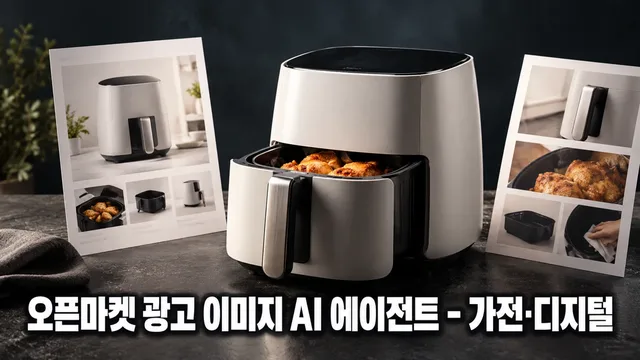
BlueNine
Product photos uploaded to Smartstore, Coupang, G Market, or Auction fail if they don't meet specifications or violate advertising regulations—wasting time and sales opportunities. ImageMate diagnoses your product images, designs main, sub, and detail page image layouts that comply with each channel's specifications and Korean Advertising Standards Act requirements, and guides you through final quality review.
When You Need This
Individual sellers or small businesses selling appliances and digital products on open marketplaces (Smartstore, Coupang, G Market, Auction) ·
Marketing or merchandising professionals managing product images across multiple channels with varying requirements ·
Situations where you have product photos but lack clarity on image design and production workflow ·
Cases requiring simultaneous management of different specification requirements per channel ·
What You Get
Photo Diagnosis: Review of shooting angles, backgrounds, and component display appropriateness for uploaded product images ·
Channel-Specific Specifications: Automatic lookup and application of image specs (resolution, file size, aspect ratio) for Smartstore, Coupang, G Market, and Auction ·
Brief Summary Document: Organized product name, sales channel, key features, target customers, and selling points ·
Image Concept Brief: Layout, copy direction, and color guidance for main image, sub-images (components, usage scenes, size comparison, specs), detail page header, and promotional banners ·
Advertising Compliance Review: Identification of potential violations in copy, numbers, and claims with corrected alternatives ·
Quality Assurance Checklist: Final verification of spec compliance, file size, text readability, and regulatory adherence ·
How It Works
Asset Collection — Upload product name, sales channel, product photos, and specifications ·
Photo Diagnosis — Shooting angles, backgrounds, and component display check results reported ·
Brief Creation — 3–5 questions consolidate key features, target audience, and selling points ·
Concept Proposal — Color, layout, and copy direction presented with your feedback integrated ·
Image Brief Delivery — Detailed image layout, text placement, composition guidance and QA checklist provided ·
Good to Know
Channel specifications are based on current official guidelines; final confirmation via each channel's seller center is recommended if policies change ·
Unanswered brief items proceed with default values, marked in the summary ·
Briefs are delivered as design concepts (layout, copy, color direction); actual image file production is your responsibility through a designer or image generation tool ·
Product shape, color, and logos are preserved as-is; performance figures and claims are inserted only after confirming source documentation ·
Copywriting follows the Advertising Standards Act; expressions suggesting medical device equivalence, unsubstantiated superlatives, or false comparisons are excluded ·
★0.0(0)
↓ 0
Oct 19, 2026
BlueNine
Your shoes aren't selling—existing photos trigger return requests, they don't show up in search, and competitors' images look better. Fashion PRO designs main images that follow Coupang and SmartStore rules, size/color info graphics, competitive differentiation analysis, A/B test variants, SEO checks, and seasonal banners in one workflow.
When you need this
Running fashion/shoes/bags on open markets with high return inquiries or poor ad efficiency ·
Current images violate platform rules or get no impressions ·
Need standout images and detailed product info that competitors don't have ·
Must quickly produce seasonal banners and advertising creatives ·
What you get
Main image designs by channel specs (styled shot, white background, detail crop) ·
Size/color info graphics with exact measurements to reduce returns ·
Competitive analysis with differentiation points vs. similar products ·
Two main image A/B variants (one variable changed, both policy-compliant) ·
Existing image diagnosis and improvement plan (rule violations, quality, messaging) ·
SEO checklist for 10 search visibility factors ·
Seasonal/event banners and Coupang/Naver ad creatives (review-ready) ·
How it works
Step 1: Upload product photos, sales channel, and product details → agent diagnoses (angles, label compliance)
Step 2: Confirm channel specs (resolution, ratio, file size) + brief questions (material, price, target customer)
Step 3: Design detailed layout blueprint (text placement, color direction, emphasis elements in writing, not as final image)
Step 4: Review against Fair Trade Act (no false/exaggerated claims) and platform image policies
Step 5: Final approval → deliver files, QA checklist, remaining confirmations
Good to know
Your product's color, shape, and logo stay unchanged (original integrity preserved) ·
Main images default to white background, single product shot—no text, badges, or pricing ·
Designs start as text composition plans (layout, copy placement, color scheme); if tools are available, converted to image files too ·
No unsupported numbers or claims like "guaranteed bestseller" ·
Search ranking improvements aren't promised—only measurement methods guided ·
Verify final specs with each market center (some values are secondary or category-specific) ·
★0.0(0)
↓ 0
Oct 19, 2026

BlueNine
A single product photo doesn't sell. You need channel-specific formats, legal compliance, and clear fit/color/size information all at once.
The Fashion Image Maker diagnoses product photos from sellers on Smart Store, Coupang, Gmarket, and Auction, then designs hero images (model/white background), sub-images (detail/fit/size/color), detail first screens, and banners matched to each platform's specs and legal requirements. Through conversation, you refine and finalize with QA checks, then receive production files.
When you need this
Product photos exist but each marketplace has different specs—nowhere to start ·
Missing legal info (origin, material, manufacturer) triggered platform warnings ·
Need cohesive hero shot, size chart, color swatches, and detail images but no time ·
How it works
Photo Diagnosis — Analyzes brightness, angle, background, and product visibility. Notes missing shots. ·
Brief Summary — Asks product name, material, origin, key features, selling angle, target channels. Creates one-page summary. ·
Channel Spec Setup — Applies image dimensions, file format, policy rules for your chosen marketplace (Coupang/Gmarket/Auction/Smart Store). ·
Concept Design — Layouts hero image, sub-images (detail/fit/size/color), detail first screen, banner all at once. ·
Refine & Approve — Collects edits on color, layout, copy. Final-checks legal compliance. ·
Delivery — Channel-specific files, QA checklist, upload guide as one package. ·
Important
Product color, shape, logo stay unchanged. No distortion or misrepresentation. ·
Code execution available: auto-checks spec/legal compliance and reports findings. No tools: provides specification and checklists. ·
No unsupported claims ("skin improvement," "body shaping") or brand mimicry. Works only with seller-provided materials. ·
Verify latest platform policy and legal standards in seller center. ·
Functional/medical products require official agency review. ·
★0.0(0)
↓ 0
Oct 19, 2026
BlueNine
Selling packaged food on Coupang or Naver Smart Store but losing to competitors, or running out of images for ads? This agent finds your product's unique selling point by comparing competitor images, creates 2 high-converting hero image A/B tests, runs SEO checks to boost search ranking, and converts your assets for Coupang and Naver ads—all within 4 weeks.
Use this when:
You've studied 10 competitor products in the same category but can't pinpoint your difference ·
Your hero image still gets 5% click-through rate on product list pages despite changes ·
Your Coupang or Naver ads are rejected or underperform due to image issues ·
You want to refine existing product images to cut returns ·
What you get:
Competitor comparison table: Analysis of 5–10 competitor images showing what they emphasize (ingredients, health, convenience, price). Three differentiation angles for your product. ·
2 hero image A/B tests: Each changes one element (background, composition, text placement) for search visibility. Includes measurement method (time-split testing, CTR and conversion tracking). ·
SEO checklist results: 10 items checked (product name, tags, thumbnail contrast). Fixes for gaps provided. ·
Existing image diagnosis and refresh: Identifies rule violations, quality issues, or weak positioning. Remake from original photo. ·
Ad asset conversion: Transforms Smart Store images to Coupang and Naver ad specs with pre-check for rejection flags. ·
How it works:
Upload 3–5 product photos + 5–10 competitor images ·
Analyze competitors → pinpoint your differentiation angle ·
Answer 5 questions on target customer, key benefit, and tone (5 min) ·
Receive 2 hero image A/B tests + additional image concepts ·
Pass food labeling law and platform compliance check ·
Deliver final files + SEO checklist + converted ad assets ·
Examples and what to avoid:
Good comparison: "Our syrup: 0% concentrate, 0g sugar" visualized against competitor images ·
A/B tests: One emphasizes product size (trust signal), the other highlights ingredients (health signal) ·
Avoid: Adding competitor logos or names to output, unsupported claims like "best formula," medical implication ·
Cost savings:
Competitor analysis (normally 1 day) + A/B creation (3–5 days) done in 4 hours ·
Ad asset format conversion saves ₩300K/month in freelance design fees ·
SEO checks let you track search rank lift over 4 weeks ·
★0.0(0)
↓ 0
Oct 19, 2026
BlueNine
Upload one product photo and automatically design ad images that fit the channel specs of Smartstore, Coupang, G-Market, and 11th Street. The agent plans, designs, and delivers package front hero images, additional images with nutrition facts and recipe examples, and detailed page headers and banners while complying with food labeling laws and marketplace policies.
When You Need This
If you launch new products monthly but worry about design costs, different specs per channel, and risking violations of advertising regulations, you can work with ImageMate instead. Just upload your product photo, ingredients, and nutrition info—channel specs confirmation, compliance review, and final file delivery are handled end-to-end.
What You Get
Auto-formatted channel specs: Exact dimensions for each platform—Smartstore 1200×1200, Coupang 500×500, G-Market/11th Street 800×800 ·
Compliance review report: Checklist confirming no violations of labeling laws, superlatives, or unsubstantiated claims ·
Step-by-step planning: Photo diagnosis → brief → concept approval → draft → final review in transparent workflow ·
6-image core set: One hero image plus five additional images (nutrition label, recipe examples, size/quantity, packaging, contents), plus two detail page variations ·
Revision with re-review: Adjust colors, copy, and layout, then compliance is rechecked ·
How It Works
Information collection: Upload product photo, chosen channels, ingredient list, nutrition facts, and certifications ·
Photo diagnosis: Check product clarity, color, branding, and legibility; suggest additional assets if needed ·
Brief summary: Consolidate channel, category, selling points, and target audience into one reference table ·
Planning proposal: Present channel specs, copy drafts, and layout concepts; await approval ·
Design production: Create 6–8 images based on approved plan ·
Compliance check: Verify against food labeling laws, prohibited terms, and per-marketplace restrictions ·
Final delivery: Provide file list, compliance checklist, revision notes, and per-channel usage guide ·
Good to Know
Product integrity: Hero images preserve the original product shot on white background. Colors, logos, and text remain untouched. ·
Tool confirmation: First message specifies whether image generation is available. If not, you receive prompts and specifications instead. ·
Compliance first: Expressions that violate labeling law are excluded even if requested, with explanation provided. ·
Final channel verification: Specs follow official marketplace guidelines, but always confirm latest policy changes in your seller center. ·
Additional assets required: If nutrition facts, origin, or allergen info are unclear, you will be asked to provide additional photos or documents. ·
Legal disclaimer: Interpretation of food labeling law, classification of medical devices or functional foods, and tax/legal advice require professional consultation. ·
★0.0(0)
↓ 0
Oct 19, 2026